ORIGINAL: Osirisf16
Because i'm an optical guy, i found some pictures and want to share them with you.
So, that's how you measure the CG?
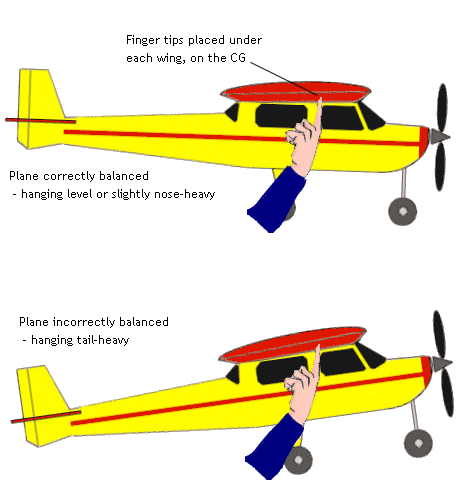
And that's a bad balanced plane (tail-heavy). The nose-heavy is exactly the opposite, right? To prevent that unbalance, you move your battery? That's all?
Yes, moving your fingers as shown in the picture is how you find out where the airplane balances level. And when it's balancing level, the CG will be directly below the balance point. When manufacturers tell you where the CG should be on the wing, they're not saying it exactly right. They are saying where they want your fingers to go to get the airplane to balance level.
If you've got your fingers placed where you want the airplane to balance level, and the nose is lower than the tail, the nose is heavier than the tail. And the plane is nose heavy. And you move whatever you can easily move in order to bring the balance point where the mfg wanted it (or you wanted it). If you can't move enough things in the airplane for it to balance level, then add weights to the light end. That's why LHSs sell lead, stick-on weights.