Aerofly


 ata error (cyclic redundancy check)
 11-08-2019 | 05:52 PM
#16

Moderator
My Feedback: (58)

Your RC7 version is 7.0.3 and you will need to perform the free update to version 7.5.9 first.
Please install the free update to V 7.5.9 from here at first:
https://www.ikarus.net/en/rc7-updates/
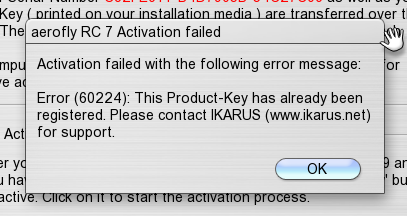
After that please retry to activate the aeroflyRC directly via the main menu “Help -> Activate aerofly”
If the activation still doesn`t work please use this browser activation dialog.
https://www.ikarus.net/license/activate.php
General note: By this way you create a license file by entering the product key and the serial number. The serial number can be found in the aeroflyRC main menu under “Help -> Activate aerofly”. You can simply move or copy the created license file into the user folder. All details are shown on the linked page.
Please install the free update to V 7.5.9 from here at first:
https://www.ikarus.net/en/rc7-updates/
After that please retry to activate the aeroflyRC directly via the main menu “Help -> Activate aerofly”
If the activation still doesn`t work please use this browser activation dialog.
https://www.ikarus.net/license/activate.php
General note: By this way you create a license file by entering the product key and the serial number. The serial number can be found in the aeroflyRC main menu under “Help -> Activate aerofly”. You can simply move or copy the created license file into the user folder. All details are shown on the linked page.