


Weatronic latest software
 12-17-2015 | 02:30 PM
#1

Thread Starter

 Weatronic latest software
New software V6.08 is now out via Weatronic's web page, one neat feature is updating Rx straight from Tx which I have just done.
Bat 60 updated to V6.08 with no problems
Alan
Bat 60 updated to V6.08 with no problems
Alan

 12-17-2015 | 03:08 PM
#3
Thread Starter
Hi Roger
Unfortunately not, but I am informed that it will be in the next update.
At least what we have got in this upgrade software appears to be all working as promised though
Just been playing with the new items
Alan
Unfortunately not, but I am informed that it will be in the next update.
At least what we have got in this upgrade software appears to be all working as promised though
Just been playing with the new items
Alan
12-18-2015 | 12:30 AM
#5


One unique feature of version 6.08 is the pre-fligth checklist.
It is inspired from the B-777 Electronic Check List ( ECL ) in a sense that a certain number of items you create have the ability of self-populate.
For example, if you set in the Pre-flight check list a condition for which the engine switch has to be on "cutout" position, the item will automatically go "green" when the engine switch is put on "cutout".
Item that are not sensed by the radio, typically like open questions ( for example "fuel tanks full" ) will have to be manually ticked.
Another nice feature is the pilot/ operator menu where a second BAT 60 can be connected to the pilot's BAT 60 to control other features. That could be for some very complex scale functions or more realistically to control a gimbals system for a camera operator.
Also, the telemetry pages are now HTML based, which means that they are virtually 100% customizable to your requirements. Colors can be added, and any type of custom sensor like very specific dosimeter readouts for nuclear powerplant inspection, Xray sensor and so on. These examples are again more for the professional World but give an idea of what can be done on the model side. Also our ASSI module will be compatible very soon.
The other great feature is that this version transforms all the receivers in the line into serial bus receivers.
All receivers can get SRXL serial protocol output out of servo plug 1, for up to 16 channels. This means that the Gizmo can now drive up to 45 servos! 29 in analog mode and 16 in serial mode.
More practically, this also means that two 0.5 oz Smart 8 receivers can be used to control a complex scale model like the Mibo A-10 with two serial loops, one for each wing ( up to 7 servo s connected to 3 wires ), two built-in gyros ( feature to come ), and quadruple RF link redundancy, for a weight saving of 2 lbs ( combined loom and receiver weight saving ).
Haptic feedback through the two optional vibration motors has been extended to trim behaviors as well.
It is inspired from the B-777 Electronic Check List ( ECL ) in a sense that a certain number of items you create have the ability of self-populate.
For example, if you set in the Pre-flight check list a condition for which the engine switch has to be on "cutout" position, the item will automatically go "green" when the engine switch is put on "cutout".
Item that are not sensed by the radio, typically like open questions ( for example "fuel tanks full" ) will have to be manually ticked.
Another nice feature is the pilot/ operator menu where a second BAT 60 can be connected to the pilot's BAT 60 to control other features. That could be for some very complex scale functions or more realistically to control a gimbals system for a camera operator.
Also, the telemetry pages are now HTML based, which means that they are virtually 100% customizable to your requirements. Colors can be added, and any type of custom sensor like very specific dosimeter readouts for nuclear powerplant inspection, Xray sensor and so on. These examples are again more for the professional World but give an idea of what can be done on the model side. Also our ASSI module will be compatible very soon.
The other great feature is that this version transforms all the receivers in the line into serial bus receivers.
All receivers can get SRXL serial protocol output out of servo plug 1, for up to 16 channels. This means that the Gizmo can now drive up to 45 servos! 29 in analog mode and 16 in serial mode.
More practically, this also means that two 0.5 oz Smart 8 receivers can be used to control a complex scale model like the Mibo A-10 with two serial loops, one for each wing ( up to 7 servo s connected to 3 wires ), two built-in gyros ( feature to come ), and quadruple RF link redundancy, for a weight saving of 2 lbs ( combined loom and receiver weight saving ).
Haptic feedback through the two optional vibration motors has been extended to trim behaviors as well.
12-19-2015 | 07:15 AM
#6
I have made a specific document for update instructions.
http://www.geohei.lu/olin/data/model...ion%206.08.pdf
It has got a few points complementing the Weatronic document.
http://www.geohei.lu/olin/data/model...ion%206.08.pdf
It has got a few points complementing the Weatronic document.
12-22-2015 | 02:34 PM
#7
Thread Starter
Have been trying out the start up warnings and checklist these are not final just learning how to...
Also cool is I can plug in iphone/iPad to charge once Bat 60 is booted up! Handy if at field and your coms device's are running low etc
Alan
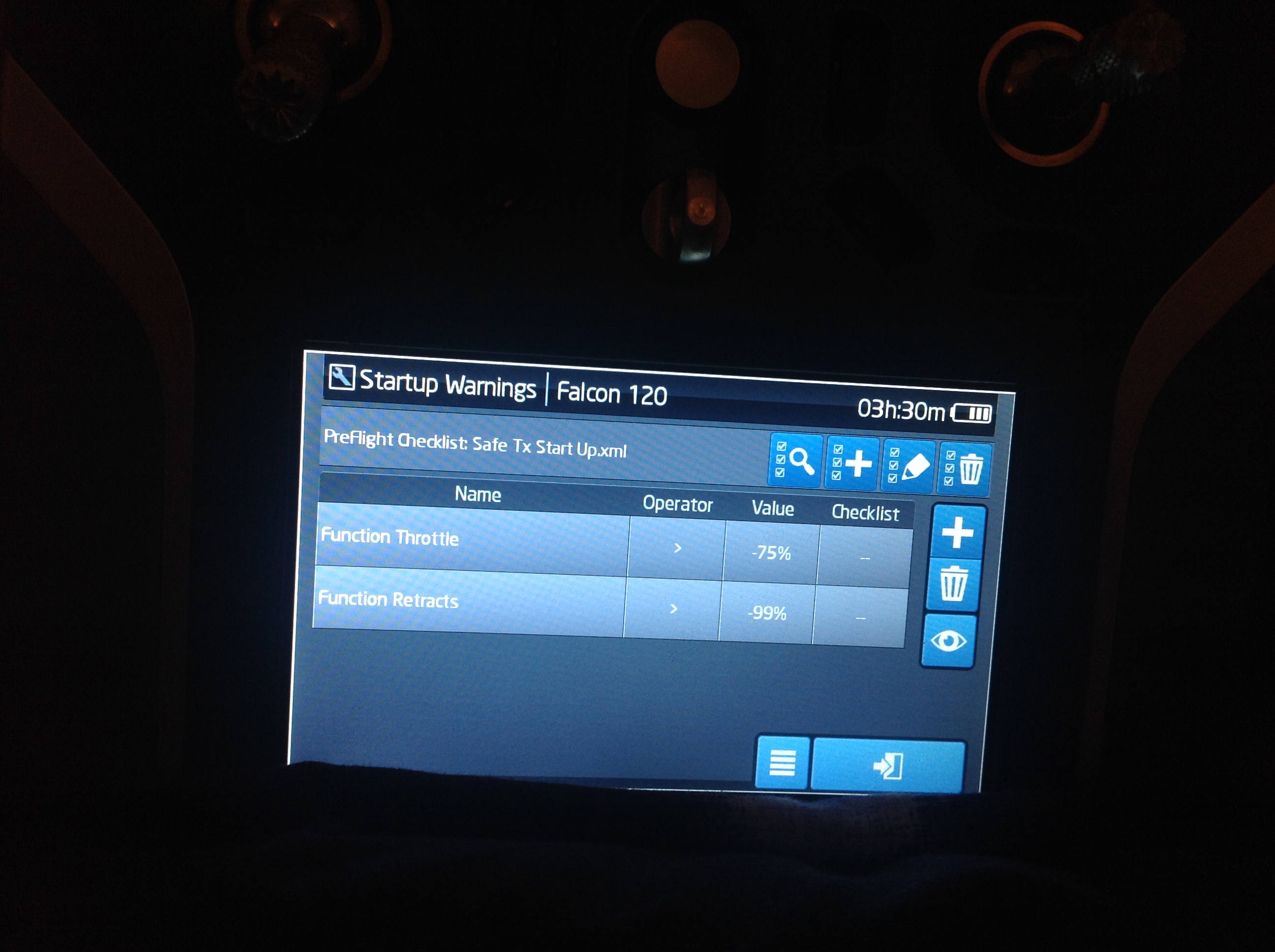
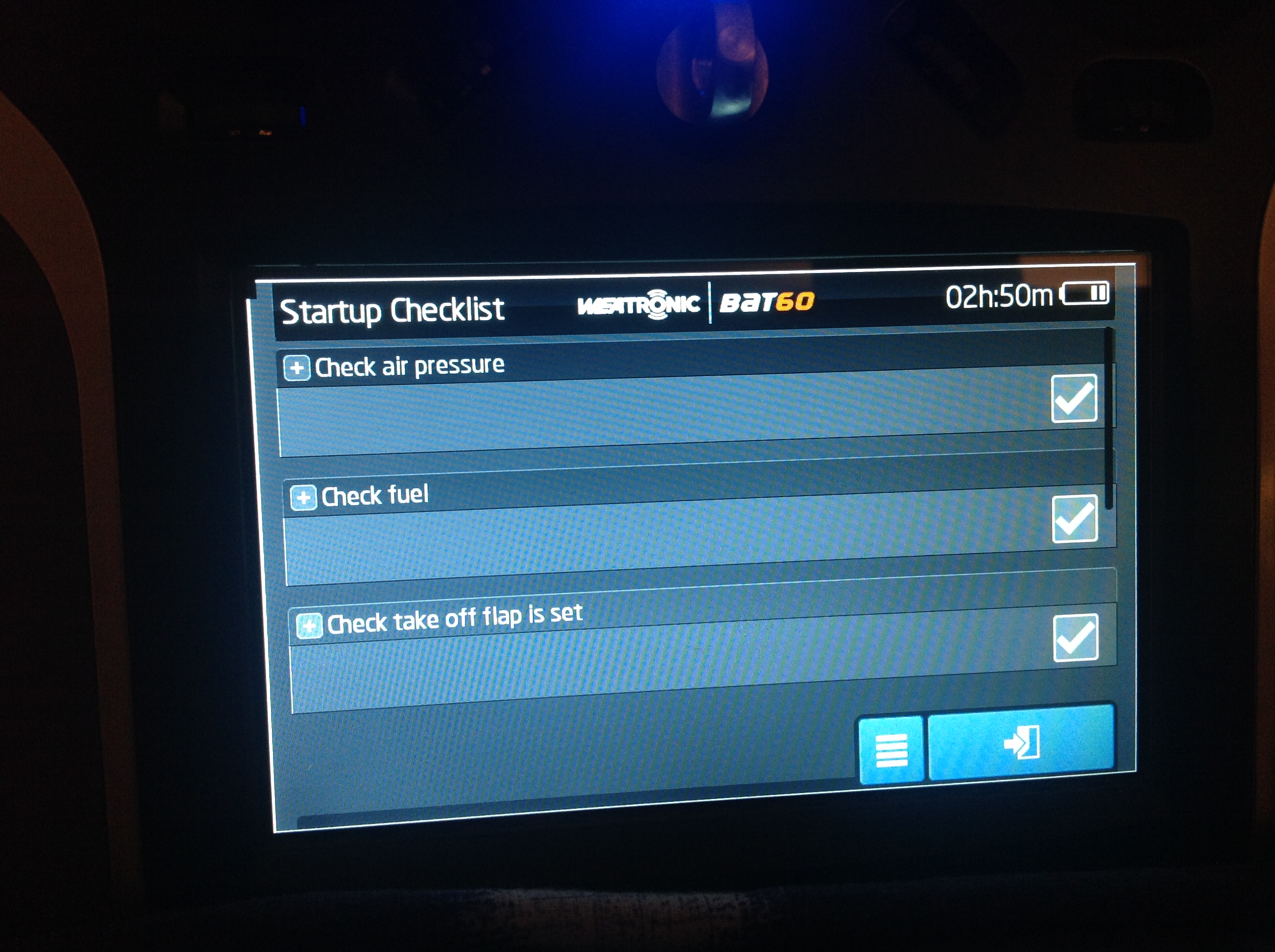
Also cool is I can plug in iphone/iPad to charge once Bat 60 is booted up! Handy if at field and your coms device's are running low etc
Alan
Last edited by fireblade5437; 12-22-2015 at 02:39 PM.
12-22-2015 | 05:44 PM
#8
Alan, for the "check takeoff flaps is set" you can assign a function value:
If the flap position is not set, RF link will not go live.
This is one of the auto sensing items, just like on the latest Boeing ECL system.
The auto sensing parameters I use on the A-10 are:
. Engine switch OFF
. Flap takeoff position
. Gear down
. Brakes ON
. Canopy open ( to access some switch )
Also note that this check list is model dependent. So the auto sensing values can be customized for each case...
If the flap position is not set, RF link will not go live.
This is one of the auto sensing items, just like on the latest Boeing ECL system.
The auto sensing parameters I use on the A-10 are:
. Engine switch OFF
. Flap takeoff position
. Gear down
. Brakes ON
. Canopy open ( to access some switch )
Also note that this check list is model dependent. So the auto sensing values can be customized for each case...
12-23-2015 | 03:31 PM
#10
Thread Starter
Oli i think i have it programmed correctly as the flaps now come up with alarm when flaps are either fully up or in landing position (red) and when flaps are moved to take off alarm cancels etc (green)
Alan
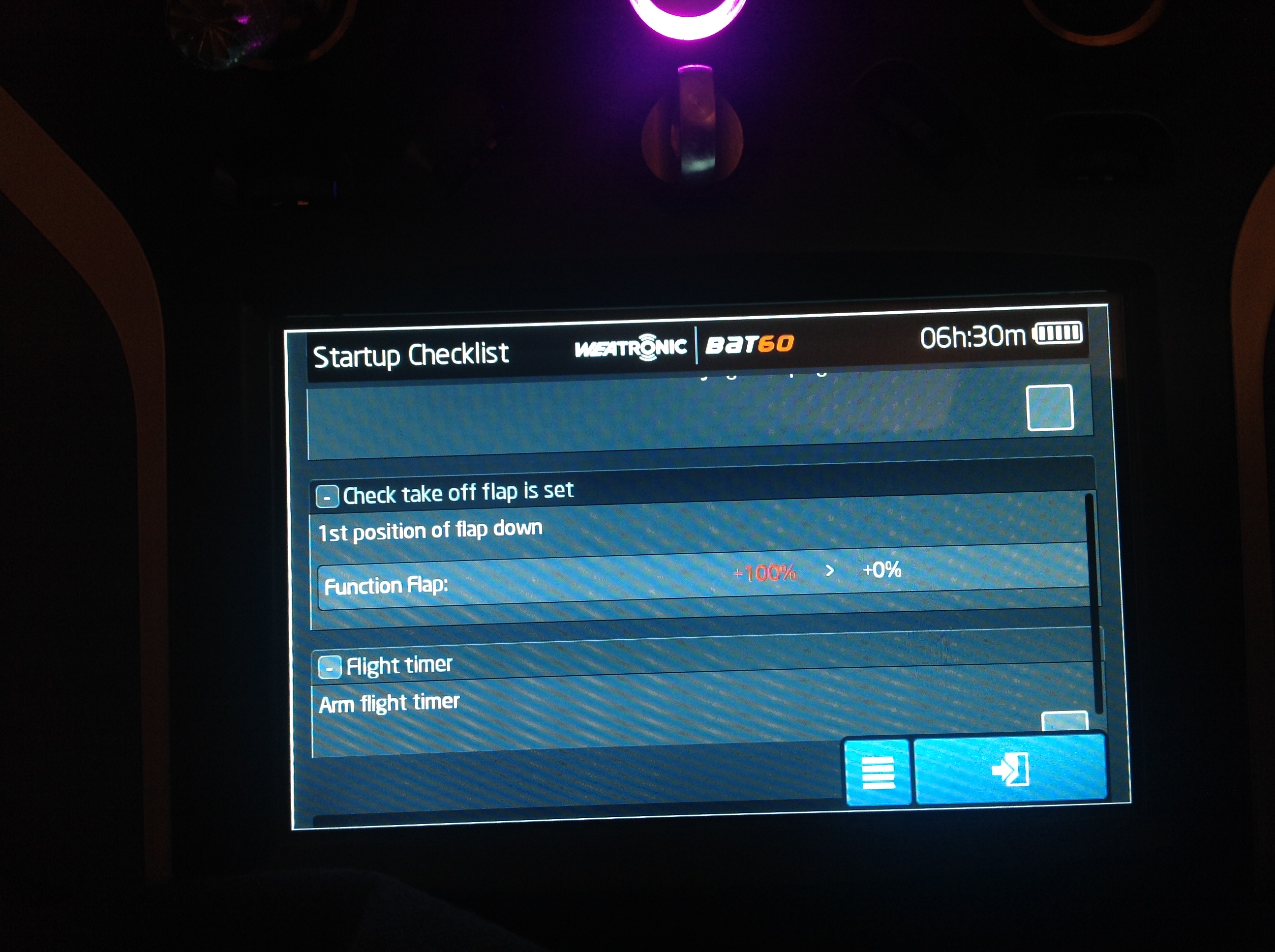
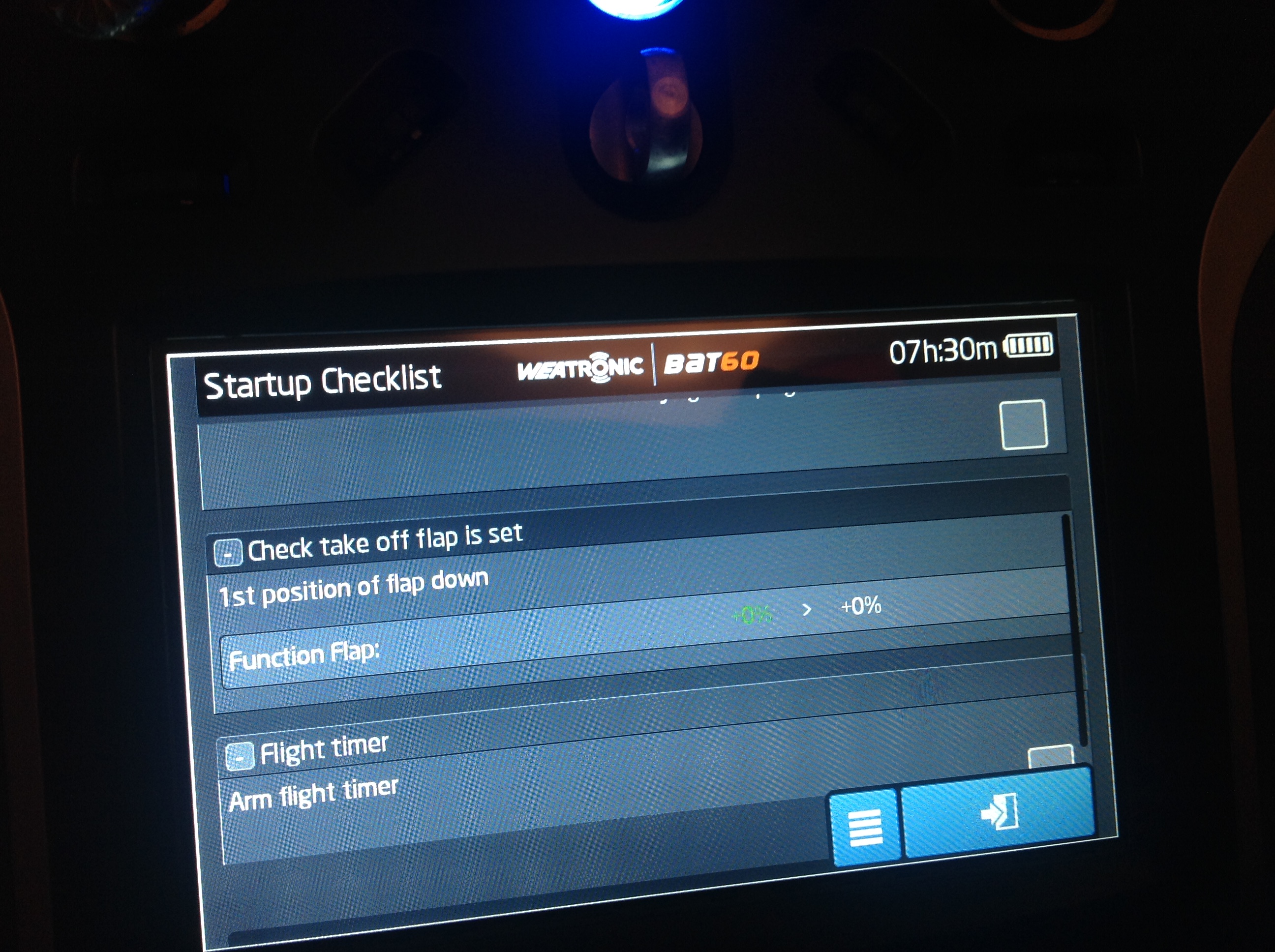
Alan
Alan, for the "check takeoff flaps is set" you can assign a function value:
If the flap position is not set, RF link will not go live.
This is one of the auto sensing items, just like on the latest Boeing ECL system.
The auto sensing parameters I use on the A-10 are:
. Engine switch OFF
. Flap takeoff position
. Gear down
. Brakes ON
. Canopy open ( to access some switch )
Also note that this check list is model dependent. So the auto sensing values can be customized for each case...
If the flap position is not set, RF link will not go live.
This is one of the auto sensing items, just like on the latest Boeing ECL system.
The auto sensing parameters I use on the A-10 are:
. Engine switch OFF
. Flap takeoff position
. Gear down
. Brakes ON
. Canopy open ( to access some switch )
Also note that this check list is model dependent. So the auto sensing values can be customized for each case...
12-26-2015 | 09:57 AM
#11
Do you know that you can take a screenshot of your screen by tapping the "options" icon on the lower right corner of the screen?
No need to grab your camera!
Also a great new feature is the fact that all the curve or pop-up window values can be fast changed with one of the trim rotary selectors, dedicated to this purpose ( the one placed diagonally is great for this ).
Last edited by olnico; 12-26-2015 at 10:02 AM.
12-26-2015 | 10:07 AM
#12
Thread Starter
Hi Oli
Yes I have used the screen shot, but it was just quicker to grab the iPad!
Yes once I programmed the take off flap position with value etc the tick box was no longer there.
looking forward to the gyro software, any idea how long it's going to be?
I have not used rotary yet for that function but I have read about it and yes using diagonal one a good idea!
Alan
Yes I have used the screen shot, but it was just quicker to grab the iPad!
Yes once I programmed the take off flap position with value etc the tick box was no longer there.
looking forward to the gyro software, any idea how long it's going to be?
I have not used rotary yet for that function but I have read about it and yes using diagonal one a good idea!
Alan
Last edited by fireblade5437; 12-26-2015 at 10:12 AM.
12-26-2015 | 10:19 AM
#13


