


Tuning JP Brakes?
 05-12-2019 | 02:25 PM
#1
 Tuning JP Brakes?
I installed a set of JP electric brakes on my new build. I set them up on a 3 position switch, so I could have off, mid and max braking. I adjusted the EPs in an effort to achieve this. However, I get no braking at mid, until I go to max, if I go back to mid from max, I get medium braking.
Max works fine on its own (locks the wheel pretty much).
I would like to be able to go from off to mid, so I wont lock the wheels on landing.
Any ideas?
Max works fine on its own (locks the wheel pretty much).
I would like to be able to go from off to mid, so I wont lock the wheels on landing.
Any ideas?
 05-12-2019 | 02:36 PM
#2

Joined: Feb 2017
Posts: 70
Likes: 0
Received 0 Likes
on
0 Posts
I know this is not the answer you are looking for but I use an Assan AG63 gyro which controls the nose wheel and the left and right brakes.
Works perfectly at keeping the aircraft in a straight line under heavy braking.
Personally I find a the need the brakes on full or not at all.
Just food for thought!
Works perfectly at keeping the aircraft in a straight line under heavy braking.
Personally I find a the need the brakes on full or not at all.
Just food for thought!
 05-12-2019 | 04:15 PM
#5
Joined: Feb 2017
Posts: 70
Likes: 0
Received 0 Likes
on
0 Posts
Much cheaper and more effective.
05-13-2019 | 03:24 AM
#6


My Feedback: (11)
Agreed, the Xicoy works great.
I have experimented with just about every brake method when I had a jet column and flying others models and I have found that down elevator is the easiest way to apply brakes while landing. The only time I found a lever or maybe what you're doing more effective, is when you have a short runway and really need to pre-load the brakes a bit but even that could be done with a mix while still using the down elevator for brake application.
Just my .02
I have experimented with just about every brake method when I had a jet column and flying others models and I have found that down elevator is the easiest way to apply brakes while landing. The only time I found a lever or maybe what you're doing more effective, is when you have a short runway and really need to pre-load the brakes a bit but even that could be done with a mix while still using the down elevator for brake application.
Just my .02
05-13-2019 | 03:48 AM
#7


My Feedback: (53)
I installed a set of JP electric brakes on my new build. I set them up on a 3 position switch, so I could have off, mid and max braking. I adjusted the EPs in an effort to achieve this. However, I get no braking at mid, until I go to max, if I go back to mid from max, I get medium braking.
Max works fine on its own (locks the wheel pretty much).
I would like to be able to go from off to mid, so I wont lock the wheels on landing.
Any ideas?
Max works fine on its own (locks the wheel pretty much).
I would like to be able to go from off to mid, so I wont lock the wheels on landing.
Any ideas?
I have since removed all those magnets by taking the wheel apart and punching them out, on the 3 set of JP brake I have....and that help in getting some brakes at low to mid point, I’m on a slider so my result may be different.....I also change 2 of them to the Xicoy controller with the Gyro...
05-13-2019 | 03:52 AM
#8
Get yourself a xicoy LGC15 and solve your braking. Had relatively the same issues. Went thru 3 other controllers before the LGC 15. It has a gyro and if the plane starts going to the side, it lets off on the offending brake and also uses the nose wheel to also correct. It takes a bit of programming. But, It solve my brake problems even in my very light Ultra Flash. Make sure you get one that is either for your retracts or an open programming one so you can tailor it to your specific retracts. I got my open programming ones from PacificRC.
09-14-2019 | 11:40 PM
#9
Joined: Jan 2013
Posts: 19
Likes: 0
Received 0 Likes
on
0 Posts
From: st.ann,
MO
09-15-2019 | 04:18 AM
#12
The directions for the LGC 15 and the labels on the controller's output make it foolproof. Granted, you have to be able to read and take the time to read the manual. I set mine up on the bench and programmed it. It took a couple hours, but the time was well spent. I have great even controlled braking on both my jets that have it in them.
09-15-2019 | 04:20 AM
#13
My Feedback: (53)
The directions for the LGC 15 and the labels on the controller's output make it foolproof. Granted, you have to be able to read and take the time to read the manual. I set mine up on the bench and programmed it. It took a couple hours, but the time was well spent. I have great even controlled braking on both my jets that have it in them.

So its either 12 or 13....and they can’t be programmed as far as I know.....
09-15-2019 | 04:59 AM
#14

My Feedback: (11)
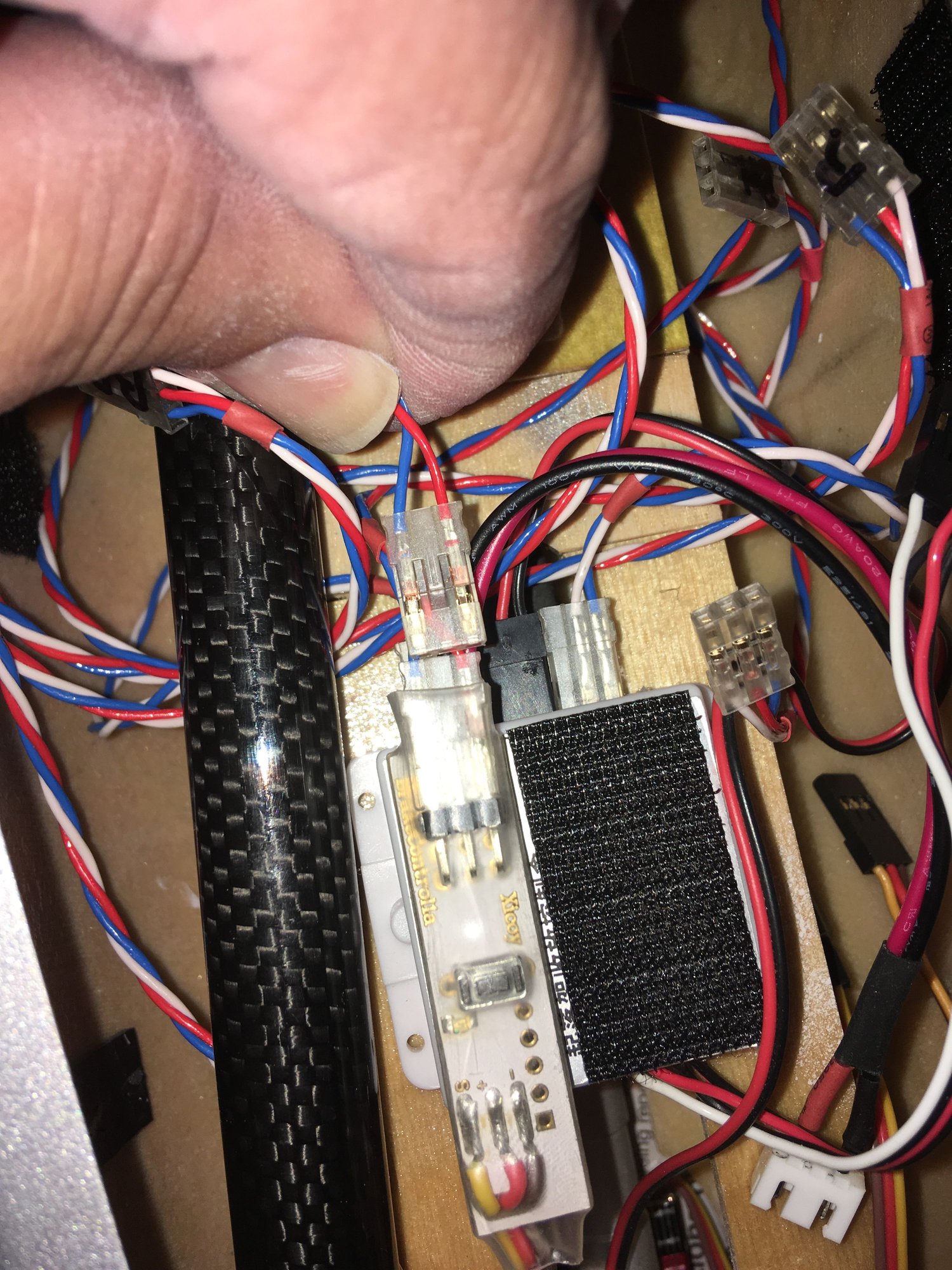
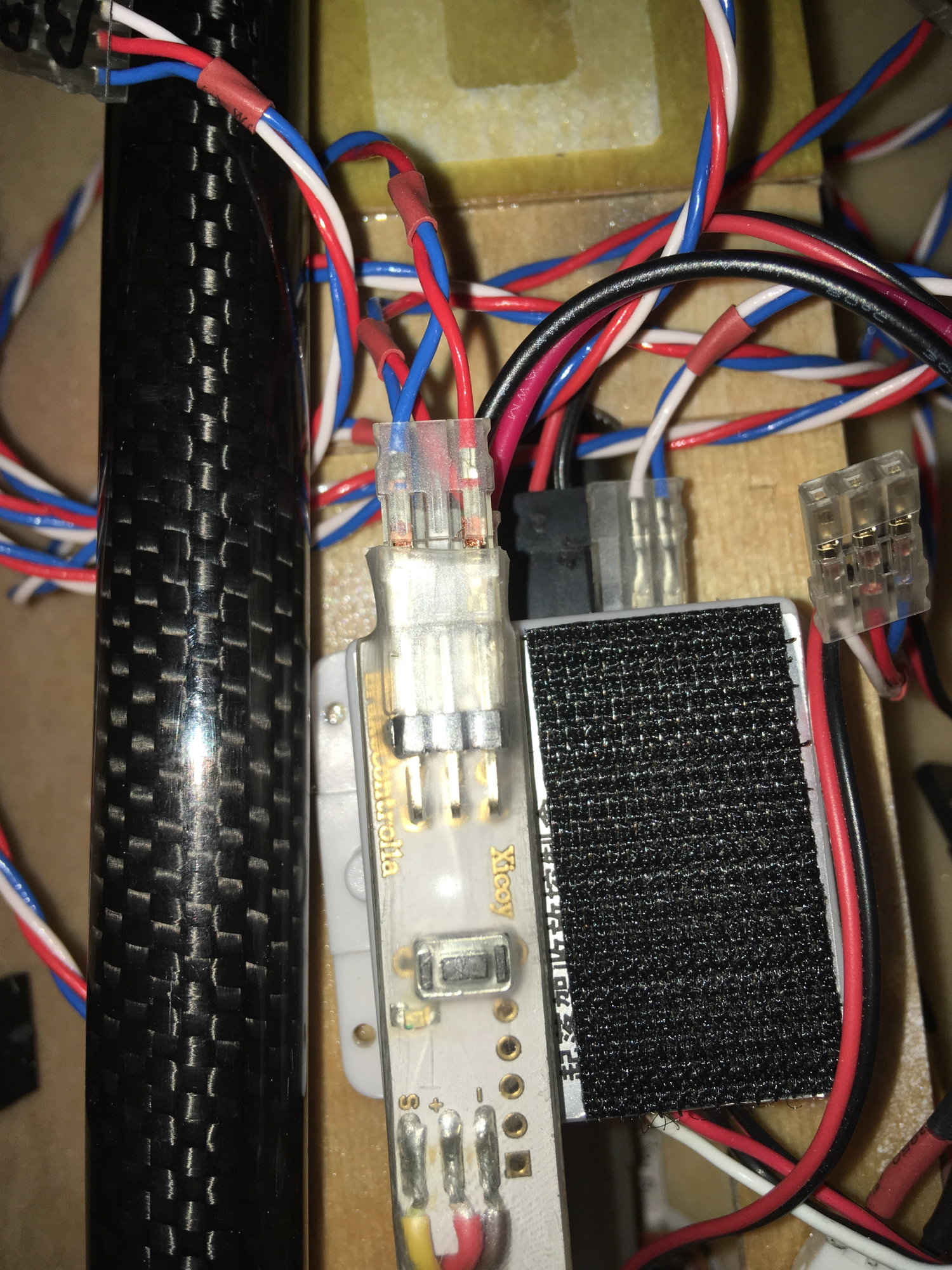
He’s referring to the stand alone brake controller. When you activate the brake function a blue LED lights up.
You have to replace the plug that comes on the JP brake line with a std servo plug.
The red wire goes where you normally would see the signal wire in the plug. That why I told him to match the input power.
You have to replace the plug that comes on the JP brake line with a std servo plug.
The red wire goes where you normally would see the signal wire in the plug. That why I told him to match the input power.
09-15-2019 | 08:39 AM
#15
Joined: Jan 2013
Posts: 19
Likes: 0
Received 0 Likes
on
0 Posts
From: st.ann,
MO
He’s referring to the stand alone brake controller. When you activate the brake function a blue LED lights up.
You have to replace the plug that comes on the JP brake line with a std servo plug.
The red wire goes where you normally would see the signal wire in the plug. That why I told him to match the input power.
You have to replace the plug that comes on the JP brake line with a std servo plug.
The red wire goes where you normally would see the signal wire in the plug. That why I told him to match the input power.
 09-15-2019 | 09:52 AM
#20
Joined: Jan 2013
Posts: 19
Likes: 0
Received 0 Likes
on
0 Posts
From: st.ann,
MO
09-15-2019 | 11:06 AM
#21
My Feedback: (13)
The controller is wired with the pos and neg in the two outside servo lead locations. The brake unit has the pos and neg next to each other. Hence you need an adapter of some sort on the extension to change the pos wire. I just moved the wire over on a typical extension and placed in series. This unit only controls brakes. The LC15(?) has a gyro and will pulse the brakes in time with the gyro to make the braking happen straight buy controlling the brake action on each brake.
John
John
10-20-2019 | 05:09 PM
#22
Nice Fix
While their controller seem a poor design, something they also put 3-4 magnets (little strong bugger) to hold the disk I’m guessing to reduce friction.....
I have since removed all those magnets by taking the wheel apart and punching them out, on the 3 set of JP brake I have....and that help in getting some brakes at low to mid point, I’m on a slider so my result may be different.....I also change 2 of them to the Xicoy controller with the Gyro...
Dan
10-20-2019 | 09:13 PM
#24
On my Joker I found there was a difference between the two wheels holding power, taking it apart I found several thin shim washers, on the side that did not hold as well I took two washers out and found this gave me even braking.
06-09-2020 | 12:04 AM
#25
Junior Member
Hi
I am using JP wheels and brakes on a plane that has Electron retracts and uses an RB45 Electron controller for the retracts plus the JP brake controller for the brakes.
I currently have it set up using the JP brake controller on a separate channel but would like to plug the brakes into the RB45 and get rid of the JP controller ( and save a channel ) - has anyone done this ? does it work ?
Thanks
I am using JP wheels and brakes on a plane that has Electron retracts and uses an RB45 Electron controller for the retracts plus the JP brake controller for the brakes.
I currently have it set up using the JP brake controller on a separate channel but would like to plug the brakes into the RB45 and get rid of the JP controller ( and save a channel ) - has anyone done this ? does it work ?
Thanks

