


I Gyro
 10-30-2014 | 11:18 AM
#1

 I Gyro
HI all, I thought I would put this I Gyro in my Lighting, until I realized the gyro is for S bus systems. I have a Jr 12x and DX18, is their a way to install this gyro.Do I need a new receiver?, not too up on S bus, any help would be appreicated. Also the Lightning has a Professional PB.
Rcpete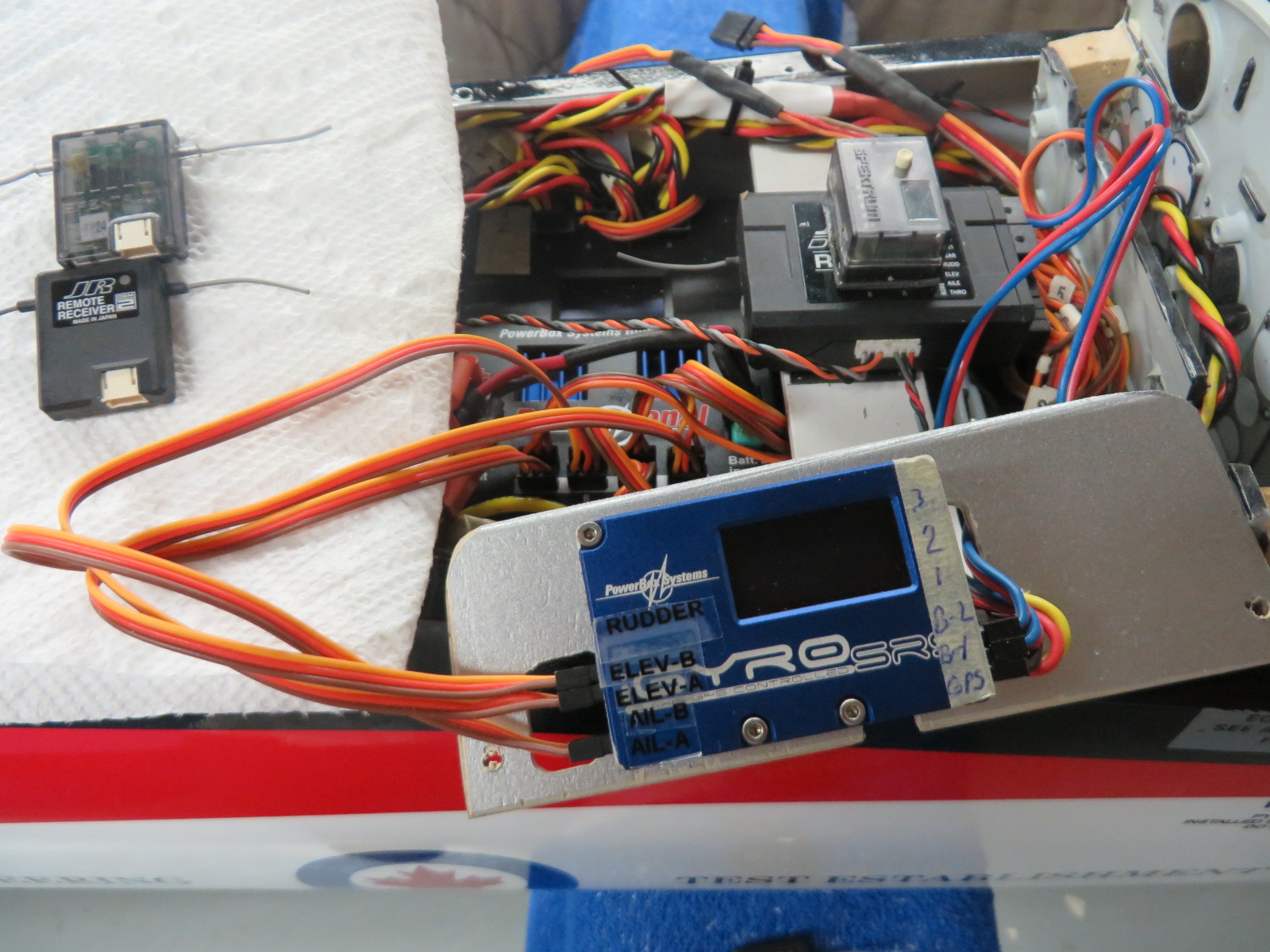
Rcpete
Last edited by rcpete347; 10-30-2014 at 11:21 AM.

 10-31-2014 | 12:59 AM
#4
 10-31-2014 | 02:32 AM
#5
Senior Member
Joined: Nov 2004
Posts: 161
Likes: 0
Received 0 Likes
on
0 Posts
From: Maidenhead, , UNITED KINGDOM
The IGyro will work with the normal DSM rx's.
Just plug the aileron, elevator and rudder servos directly into the IGyro, and everything else into your rx like normal. You will need to plug the patch leads into the IGyro and rx to power it all and 3 sats.
The manual covers this along with a diagram.
Just plug the aileron, elevator and rudder servos directly into the IGyro, and everything else into your rx like normal. You will need to plug the patch leads into the IGyro and rx to power it all and 3 sats.
The manual covers this along with a diagram.
10-31-2014 | 06:31 AM
#6
HI, thanks guys, and yes, I have the I Gyro working on my JR 12X with a 1221 receiver, with 3 DSM2 satilites and 2 patch leeds to the 2 battery openings on the 1221 receiver.
I still have some issues, which I will try to sort out today.
1- I have one green light on, on the I gyro switch ?
2-I could not find the link at Power Box Germany to upgrade to V18, can someone post the link.
This is the first time useing the gyro switch to navigate through the menu, I always used the controller before on the Power boxs,and as it turns out, it is quite simple.
Also, when I resolve these few hickups, I think this gyro is excellant.
After reading all the threads on the I gyro, the only fault is the instructions.( everyone thought the I gyro was bus system only)
Rcpete
I still have some issues, which I will try to sort out today.
1- I have one green light on, on the I gyro switch ?
2-I could not find the link at Power Box Germany to upgrade to V18, can someone post the link.
This is the first time useing the gyro switch to navigate through the menu, I always used the controller before on the Power boxs,and as it turns out, it is quite simple.
Also, when I resolve these few hickups, I think this gyro is excellant.
After reading all the threads on the I gyro, the only fault is the instructions.( everyone thought the I gyro was bus system only)
Rcpete
Last edited by rcpete347; 10-31-2014 at 07:41 AM.
10-31-2014 | 07:45 AM
#7


My Feedback: (198)
I updated my IGryo to the newest version. You will find more receiver options. There was an option for the Spektrum SRXL. It works with any Xplus Rx. This will eliminate the need for additional satellites.
To answer your questions above.
1.The switch only has one light, correct. I don't leave the controller in the plane. I just plug it in when I need to change a setting.
2.The newest version is 2.1. You must download the "Powerbox Terminal" on your computer to update units. The terminal is the gateway to upgrades.
3. No idea
To answer your questions above.
1.The switch only has one light, correct. I don't leave the controller in the plane. I just plug it in when I need to change a setting.
2.The newest version is 2.1. You must download the "Powerbox Terminal" on your computer to update units. The terminal is the gateway to upgrades.
3. No idea
10-31-2014 | 11:55 AM
#8

My Feedback: (21)
Pete,
You can go to
www.powerbox-systems.com Go to downloads at top of page then look for PowerBox terminal for the download.
or you can try http://www.powerbox-systems.com/down...-terminal.html
You can go to
www.powerbox-systems.com Go to downloads at top of page then look for PowerBox terminal for the download.
or you can try http://www.powerbox-systems.com/down...-terminal.html


