


Powerbox Core radio and set up thread.
 02-04-2025 | 05:03 AM
#2026


However on 2 receivers Attitude assist showed just a ?
These receivers are new and not all channels inc gain had been assigned.
Allocating everything, all with high gains. SMART now comes up !
May save you guys some time.
Will test the system airborne next week.
 02-12-2025 | 12:59 AM
#2027

Firmware Update v4.4 released for the PBR-7S, 9D and 26D receivers.
V4.4 12.02.2025
PBR-7S, PBR-9D, PBR-26D:
V4.4 12.02.2025
PBR-7S, PBR-9D, PBR-26D:
- Bug fixed: Aileron Gyro worked only in one direction before aileron stick is moved.
02-12-2025 | 10:59 PM
#2029
Hi Zeeb...
V4.3 was released about a week ago so that should be in your list and V4.4 was recent.
Did you hit the 'Download receiver updates' button to download the new Rx updates into your Core via WiFi...?
Maybe just try again - it should not matter where you are located as their server is based in Germany and everyone accesses the same server.
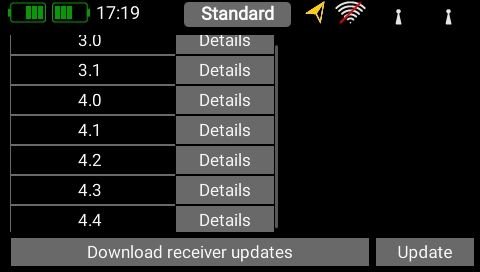
V4.3 was released about a week ago so that should be in your list and V4.4 was recent.
Did you hit the 'Download receiver updates' button to download the new Rx updates into your Core via WiFi...?
Maybe just try again - it should not matter where you are located as their server is based in Germany and everyone accesses the same server.
 02-13-2025 | 07:32 AM
#2031


My Feedback: (11)
Yea, it's working for me as well. I updated the receiver list in both my radios and updated a couple of foamie jets to play with the new iSat software.
Just a note that after the 4.4 update you have to power off everything and reboot it then setup the gyro mounting and stick learning again.
Just a note that after the 4.4 update you have to power off everything and reboot it then setup the gyro mounting and stick learning again.
The following users liked this post:
RCFlyerDan (02-13-2025)
02-16-2025 | 01:20 AM
#2034
Hi Zeeb,
What about manually updating the files..?
You can download v4.5 files over on the PB forum over here... https://forum.powerbox-systems.com/f...357#post111357
Just place the 3 files onto a USB stick and then plug it into your Core.
You then just copy them from the USB stick to the Update/Receiver folder on the Core using the inbuilt file manager.
Just go straight to v4.5.... no need to update in intermediate steps so the other versions are not needed.
What about manually updating the files..?
You can download v4.5 files over on the PB forum over here... https://forum.powerbox-systems.com/f...357#post111357
Just place the 3 files onto a USB stick and then plug it into your Core.
You then just copy them from the USB stick to the Update/Receiver folder on the Core using the inbuilt file manager.
Just go straight to v4.5.... no need to update in intermediate steps so the other versions are not needed.
Last edited by CostasV; 02-16-2025 at 01:25 AM.
02-17-2025 | 01:15 PM
#2038

My Feedback: (41)
Well I got it to work finally. The issue I had is that the rx update list was not fully visible. and I could not scroll down any further. The 4.5 update just barely showed up on the list the last time I tried it and I was able to click on just a tiny sliver of the box but it picked up the update, downloaded and installed it. 'Gonna have to watch that issue of not being able to scroll down the page on the listed "update" section.
Thanks again guys!
Thanks again guys!
03-05-2025 | 10:14 PM
#2042
The following users liked this post:
Springbok Flyer (03-07-2025)
03-28-2025 | 08:37 AM
#2044

Joined: Aug 2002
Posts: 382
Likes: 0
Received 0 Likes
on
0 Posts
From: Daytona Beach, FL,
Hello everyone…..
I am having an issue programming the throttle for a dualsky and jeti setup in my F3a airplane. I have to reprogram it every time and it defaults to half throttle before the engine turns. I fix it to get a linear throttle curve and then I shut it down after every flight and when powering back up, I have to reprogram the throttle channel in the radio to get it to work. I know it’s me. First model on PowerBox Core. Any suggestions or ways to fix it. Below are some screen shots.

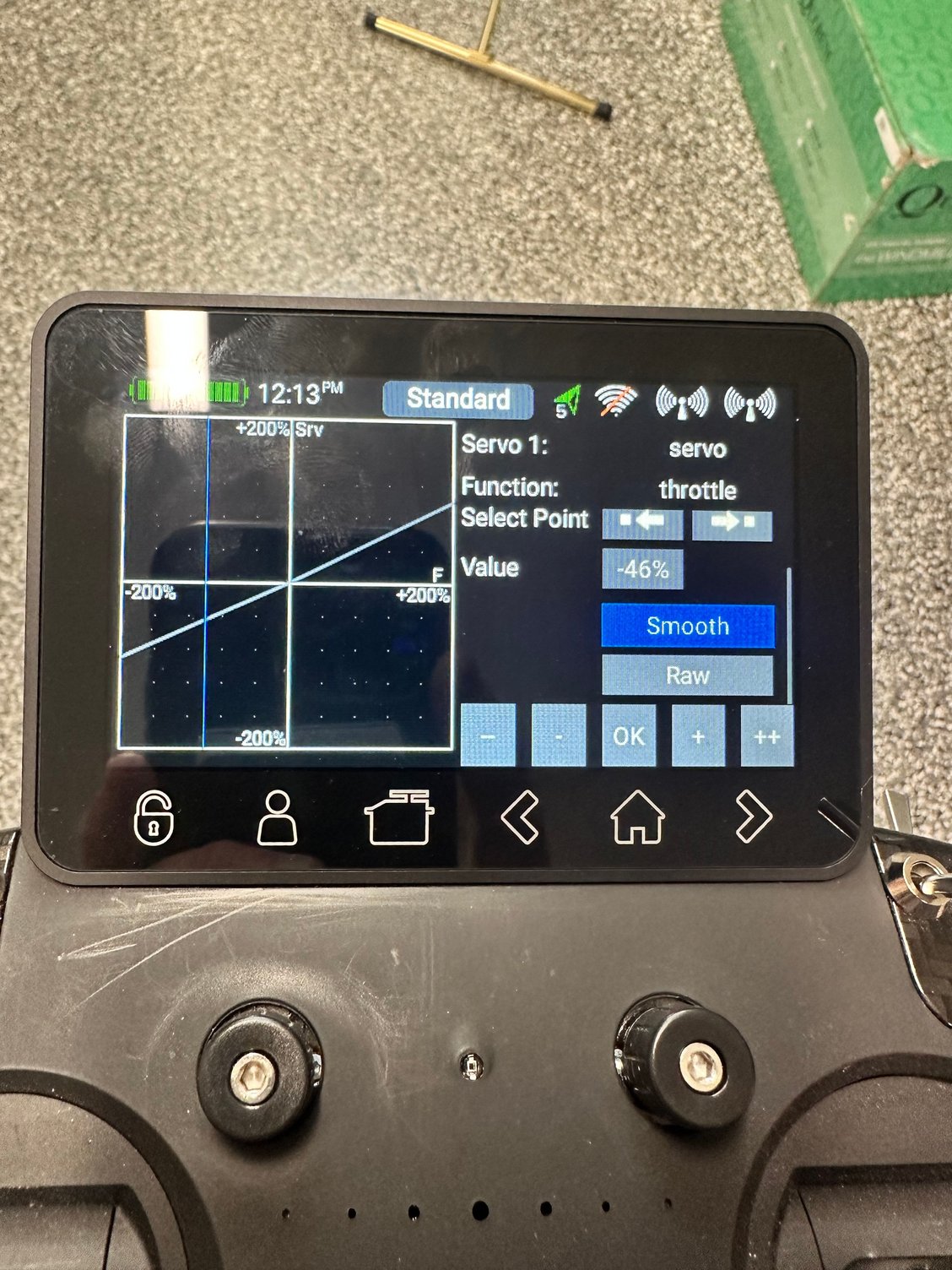
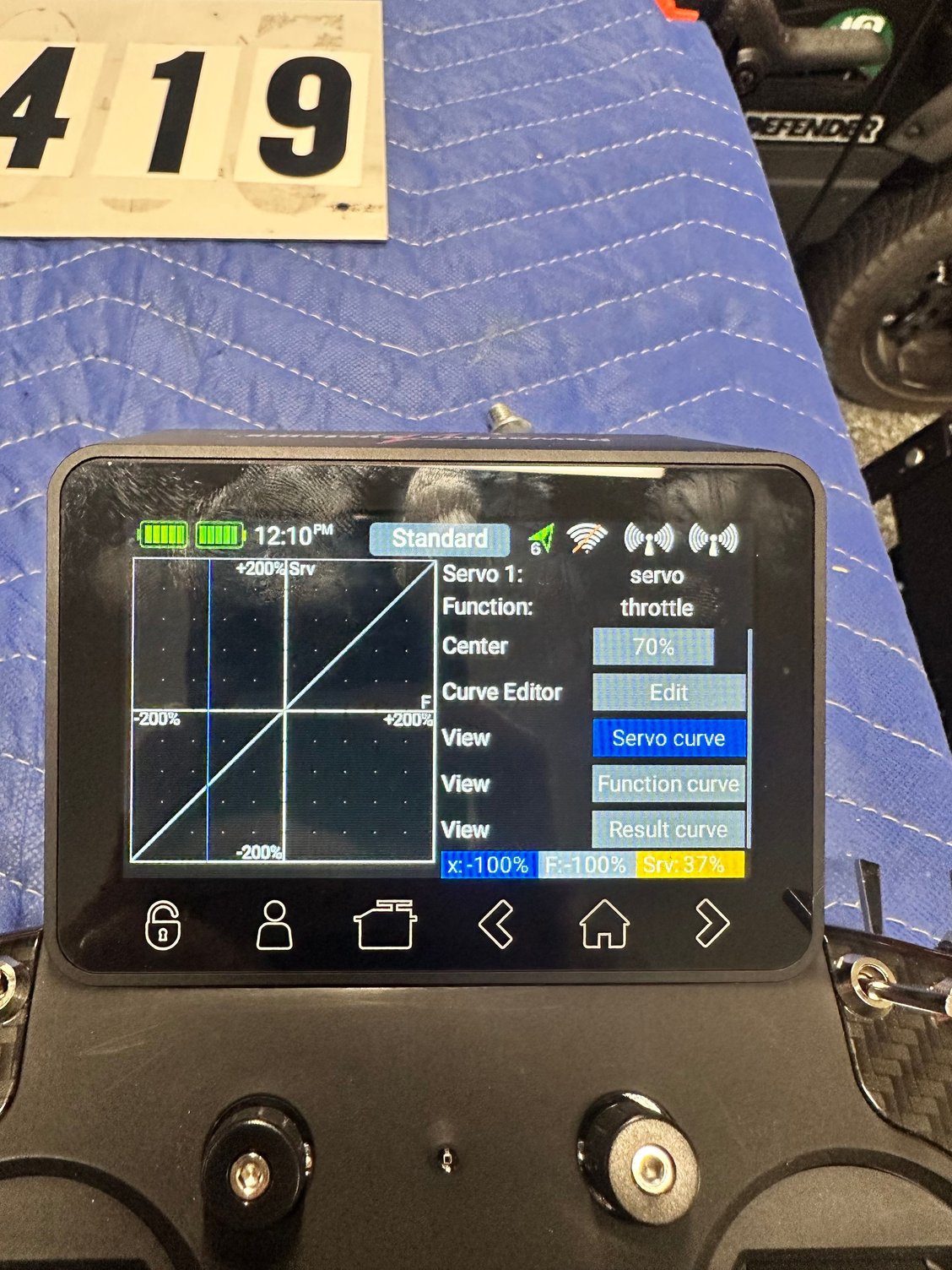
I am having an issue programming the throttle for a dualsky and jeti setup in my F3a airplane. I have to reprogram it every time and it defaults to half throttle before the engine turns. I fix it to get a linear throttle curve and then I shut it down after every flight and when powering back up, I have to reprogram the throttle channel in the radio to get it to work. I know it’s me. First model on PowerBox Core. Any suggestions or ways to fix it. Below are some screen shots.
03-28-2025 | 12:05 PM
#2046
Joined: Aug 2002
Posts: 382
Likes: 0
Received 0 Likes
on
0 Posts
From: Daytona Beach, FL,
I’m trying to figure out why when I set up the throttle channel to give me linear throttle from idle to max power it works fine. I finish the first flight and upon power up for the next flight, my programming for the esc is lost and my esc beeps that it’s not setup. I have to redo the throttle for every flight. It’s not set it once and forget it. And, the program values to needed to program the throttle are different for every setup and flight. It’s not saving the setup.
03-28-2025 | 10:08 PM
#2047
Are you seeing that something in your throttle curve changes from flight to flight? Looks like your first image shows you turned the endpoints up to 200%, which is probably beyond what the ESC wants to see. Maybe I’m misunderstanding the problem. I get that you have to reteach the ESC, just trying to clarify if this is an ESC issue or radio issue.
03-29-2025 | 06:37 AM
#2049
Joined: Aug 2002
Posts: 382
Likes: 0
Received 0 Likes
on
0 Posts
From: Daytona Beach, FL,
Unfortunately I am in the road for 6 days and don’t have access to the transmitter and airplane. Reading a bunch and doing research, I think it is the end point adjustments doing this. I am going set everything to original settings and then try gain when I get home.
your suggestions got me going in the right direction looking through the manual. I will let you know when I figure it out. Or need more direction.
pete
your suggestions got me going in the right direction looking through the manual. I will let you know when I figure it out. Or need more direction.
pete
04-08-2025 | 01:31 PM
#2050

Is anyone else having to reboot the core after rx updates are performed? I am seeing an issue where the flight modes names default to standard and voice prompts no longer work. Not sure what else, but it's happened a couples times setting up models for the '24 season. After a core reboot all goes back to normal. I've experienced this on two different models so far. For reference, I'm on the latest code for the core and the rxs.

