


Help with Powerbox Mercury SR2
 04-30-2023 | 04:45 PM
#1
Thread Starter

My Feedback: (1)
 Help with Powerbox Mercury SR2
I am having issues with the programming of the Gyro. Cant get it to recognize three position switch for Off setting 1 and 2. Everything else seems to work fine. Is there a way to go in now that everything else is done and relearn the switch?
I am using Futaba 18 mz radio
I am using Futaba 18 mz radio
 05-01-2023 | 03:11 AM
#4
In the Txer, set the switch to the desired channel. Channel should have 100% travel in both directions ( e.g.~ 1020 - ~ 2020 ppm in a typical Rxer's channel output.
In the PBox, set the selected Txer channel as the PBox's Flight Mode channel.
Program the PBox's flight mode's gain for each FM position. (e.g. 0 gain to FM1 position, ~20% to FM2 position, ~25% to third FM3 position.) Pbox gain settings are typically a lot lower than Cortex's. Then once flying, adjust up FM2 & FM3 from that starting point. (Some folks like to put the 0 gain on FM 2)
Make sure you have Attitude Assist off on all surfaces. You can play with that later. Never use it on the rudder. As you set the PBox up, always double check this before you fly the maiden as sometimes when you change things, you may miss one Attitude Assist setting. You have to check this setting for each surface in each PBox flight mode.
In the PBox, set the selected Txer channel as the PBox's Flight Mode channel.
Program the PBox's flight mode's gain for each FM position. (e.g. 0 gain to FM1 position, ~20% to FM2 position, ~25% to third FM3 position.) Pbox gain settings are typically a lot lower than Cortex's. Then once flying, adjust up FM2 & FM3 from that starting point. (Some folks like to put the 0 gain on FM 2)
Make sure you have Attitude Assist off on all surfaces. You can play with that later. Never use it on the rudder. As you set the PBox up, always double check this before you fly the maiden as sometimes when you change things, you may miss one Attitude Assist setting. You have to check this setting for each surface in each PBox flight mode.
Last edited by Len Todd; 05-01-2023 at 03:14 AM.
05-01-2023 | 07:01 AM
#6
Thread Starter
My Feedback: (1)
OK...I looked at the mapping and switch and mapping are correct. I tried to put switch in off position and adjust gyro gain to 0 on first control. Then go to second position and put 15% and third position to 25%. When I switch between them the gain number remains the last adjustment I made. They are no switching 0 15 25. OK I'm, stumpped!!!
05-01-2023 | 08:35 AM
#8
What model PBox do you have?
On your transmitter's monitor screen does the designated channel that you chose show the movement of the switch positions when you flip the switch?
Did you program the PBox to tell it what channel are you using to switch PBox's Flight Modes?
When you are programming the PBox gains, and you flip the transmitter's swtich, does the PBox show you that it has changed flight modes?
It sounds like you have not designated the PBox Flight Mode switch in the PBox.
On your transmitter's monitor screen does the designated channel that you chose show the movement of the switch positions when you flip the switch?
Did you program the PBox to tell it what channel are you using to switch PBox's Flight Modes?
When you are programming the PBox gains, and you flip the transmitter's swtich, does the PBox show you that it has changed flight modes?
It sounds like you have not designated the PBox Flight Mode switch in the PBox.
05-01-2023 | 10:37 AM
#10
Thread Starter
My Feedback: (1)
Ok I will try a video later. It is the new Mercury SR2 not as easy to program as original Mercury. I have the Input mapping as channel 10 assigned to three position switch on top left of 18 MZ trans. When I look at small screen in gyro setup it shows 10 as input on aileron elevator and rudder
05-01-2023 | 10:41 AM
#11
Thread Starter
My Feedback: (1)
What model PBox do you have?
On your transmitter's monitor screen does the designated channel that you chose show the movement of the switch positions when you flip the switch?
Did you program the PBox to tell it what channel are you using to switch PBox's Flight Modes?
When you are programming the PBox gains, and you flip the transmitter's swtich, does the PBox show you that it has changed flight modes?
It sounds like you have not designated the PBox Flight Mode switch in the PBox.
On your transmitter's monitor screen does the designated channel that you chose show the movement of the switch positions when you flip the switch?
Did you program the PBox to tell it what channel are you using to switch PBox's Flight Modes?
When you are programming the PBox gains, and you flip the transmitter's swtich, does the PBox show you that it has changed flight modes?
It sounds like you have not designated the PBox Flight Mode switch in the PBox.
 05-01-2023 | 11:14 AM
#13


My Feedback: (21)
I think you have a channel conflict somewhere. The manual states to use the auto setup assist, but you can manually setup through the input and output function manually. The gyro switch should be assigned its own channel not assigned to any other function.
 05-01-2023 | 08:52 PM
#18
You are right…that is the original Mercury I’m thinking of!
so if channel 10 is set in Input mapping to control the gyro and each axis in the iGyro Ail/Ele/Rud that should be it.
so if channel 10 is set in Input mapping to control the gyro and each axis in the iGyro Ail/Ele/Rud that should be it.
05-02-2023 | 04:39 AM
#19
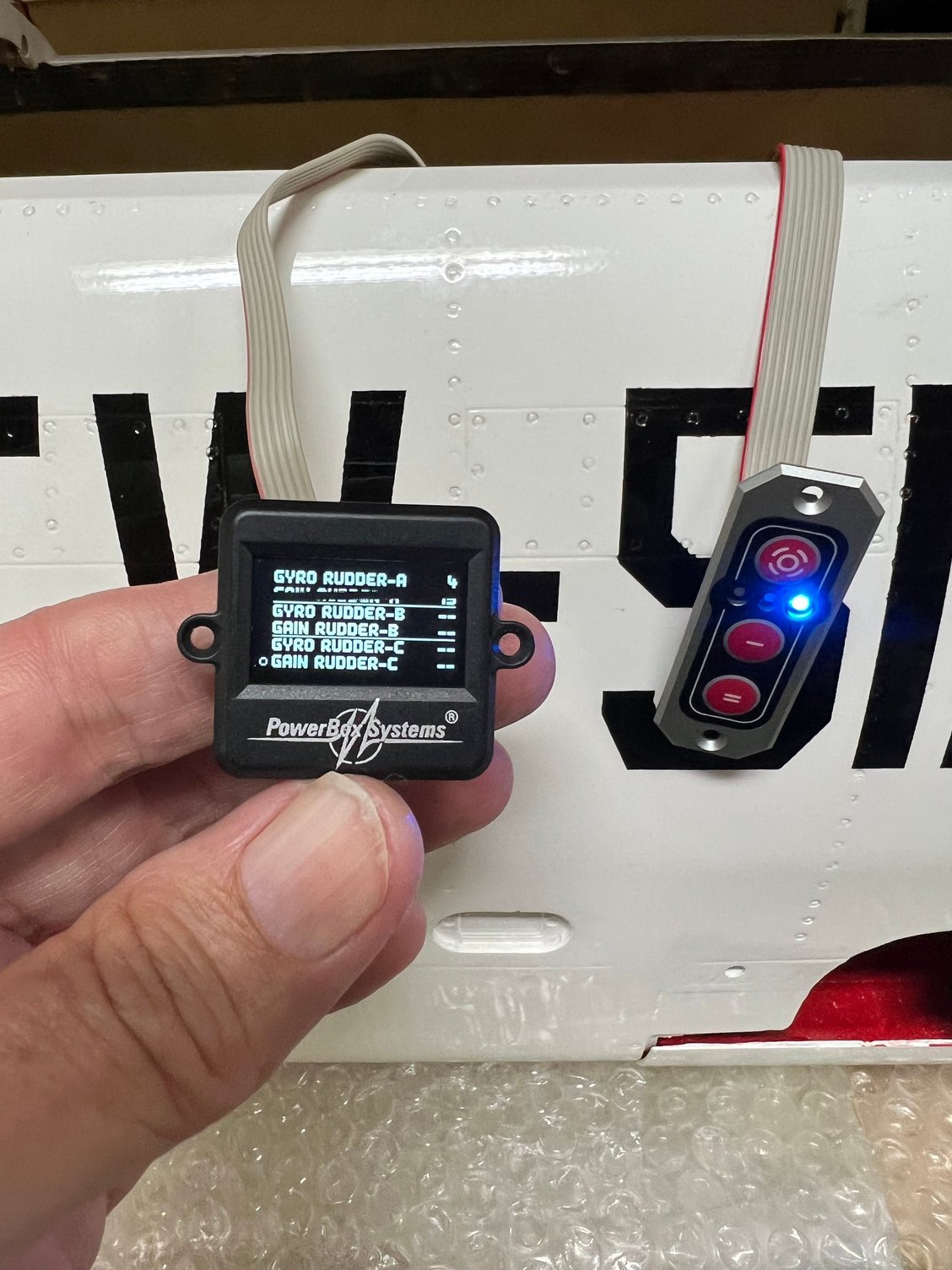
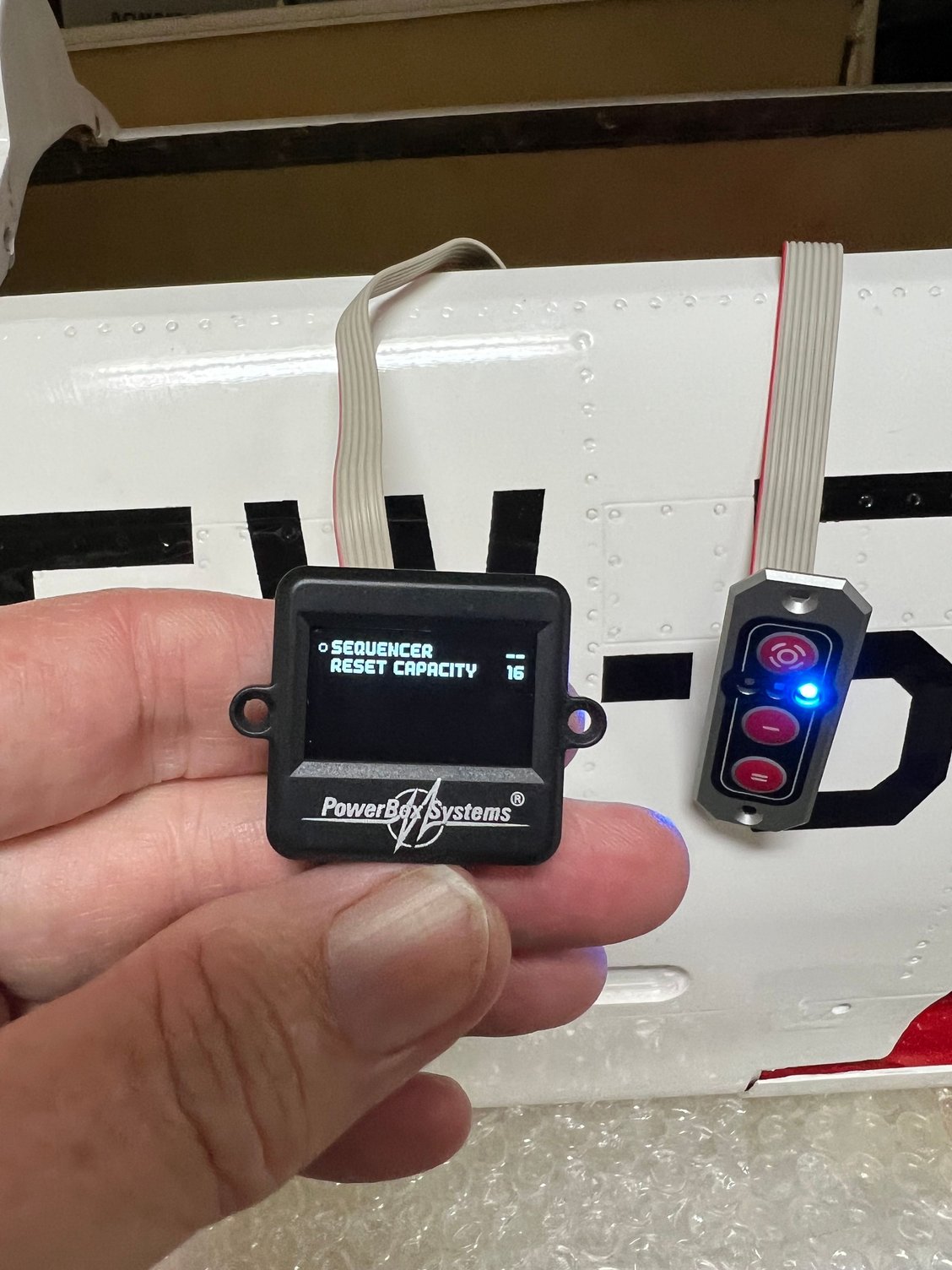
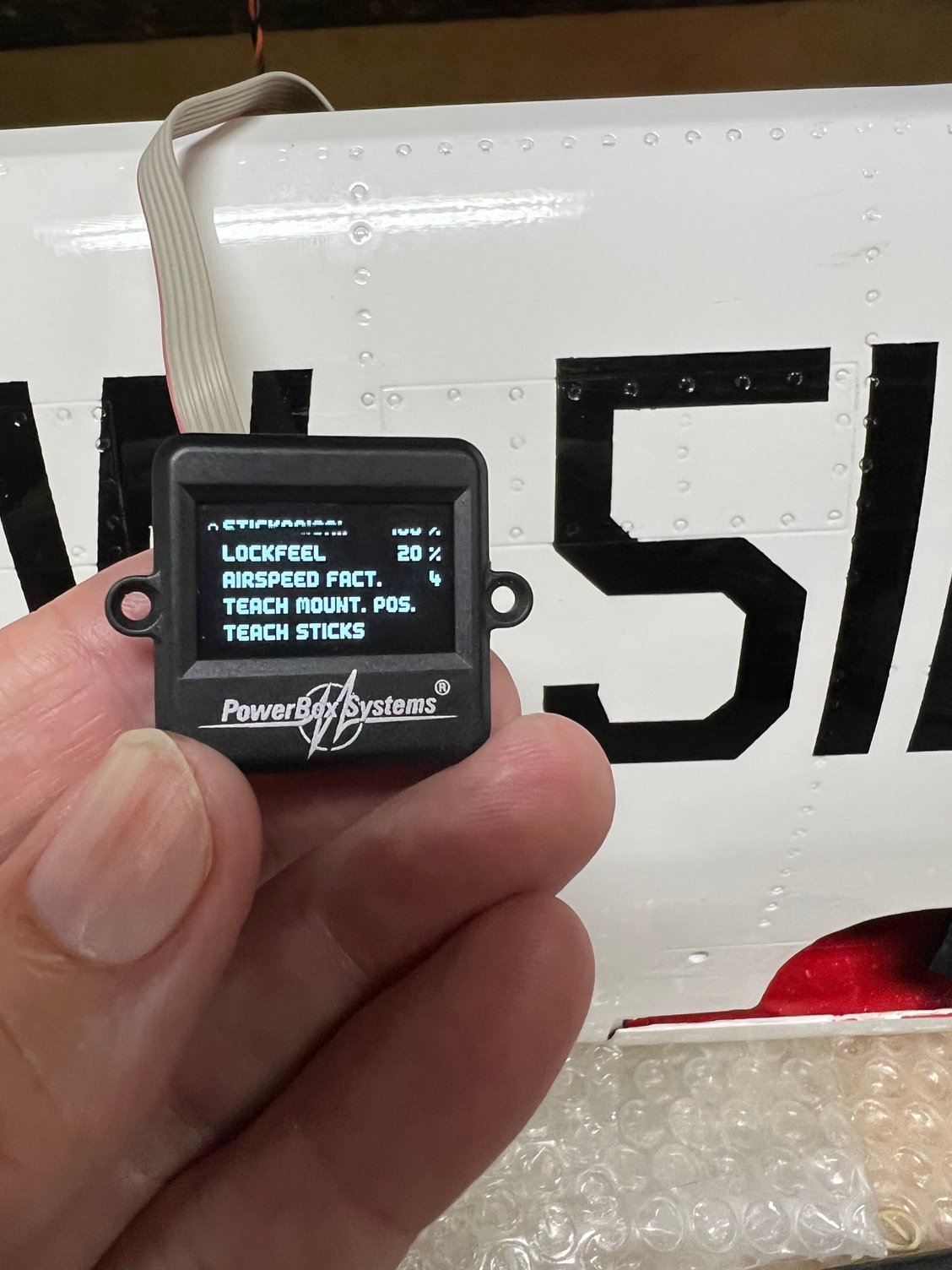
If channel 10 is your transmitter's Gyro control channel, you have to program channel 10 into each PBox's Gyro surface. The pics show that has NOT been done. (i.e. Gyro Rudder A is programmed to 4 and the rest of the PBox surfaces are NOT programmed to any channel.) In the PBox, select each Gyro Surface and program it to 10. If you are not using Rudder B, then that one can be left blank. I assume you are not using any Y harnesses.
The setup program A.K.A. "assistant" does not take care of gyro settings. The assistant will give you a general idea about what the crappy manual is talking about. But it does not do the entire trick. I gave up on that "assistant" about 7 or 8 Pboxes ago. I do all of any PBox's programming manually. Then I know what I have.
But, the first thing I do is set up a channel input and output map in a spreadsheet. Then I go into the PBox and set up the inputs and outputs manually. Once I have all the control surfaces working correctly, I set program the Gyro. The Gyro has to be programmed manually anyway. Also, the direction of the Gyro correction often has to be reversed (e.g. at least one elevator, etc.) You cannot depend on the "Assistant."
I attached a sample initial setup sheet for my Rebel.
The setup program A.K.A. "assistant" does not take care of gyro settings. The assistant will give you a general idea about what the crappy manual is talking about. But it does not do the entire trick. I gave up on that "assistant" about 7 or 8 Pboxes ago. I do all of any PBox's programming manually. Then I know what I have.
But, the first thing I do is set up a channel input and output map in a spreadsheet. Then I go into the PBox and set up the inputs and outputs manually. Once I have all the control surfaces working correctly, I set program the Gyro. The Gyro has to be programmed manually anyway. Also, the direction of the Gyro correction often has to be reversed (e.g. at least one elevator, etc.) You cannot depend on the "Assistant."
I attached a sample initial setup sheet for my Rebel.
Last edited by Len Todd; 05-02-2023 at 05:06 AM.
05-02-2023 | 06:06 AM
#20
Thread Starter
My Feedback: (1)
If channel 10 is your transmitter's Gyro control channel, you have to program channel 10 into each PBox's Gyro surface. The pics show that has NOT been done. (i.e. Gyro Rudder A is programmed to 4 and the rest of the PBox surfaces are NOT programmed to any channel.) In the PBox, select each Gyro Surface and program it to 10. If you are not using Rudder B, then that one can be left blank. I assume you are not using any Y harnesses.
The setup program A.K.A. "assistant" does not take care of gyro settings. The assistant will give you a general idea about what the crappy manual is talking about. But it does not do the entire trick. I gave up on that "assistant" about 7 or 8 Pboxes ago. I do all of any PBox's programming manually. Then I know what I have.
But, the first thing I do is set up a channel input and output map in a spreadsheet. Then I go into the PBox and set up the inputs and outputs manually. Once I have all the control surfaces working correctly, I set program the Gyro. The Gyro has to be programmed manually anyway. Also, the direction of the Gyro correction often has to be reversed (e.g. at least one elevator, etc.) You cannot depend on the "Assistant."
I attached a sample initial setup sheet for my Rebel.
The setup program A.K.A. "assistant" does not take care of gyro settings. The assistant will give you a general idea about what the crappy manual is talking about. But it does not do the entire trick. I gave up on that "assistant" about 7 or 8 Pboxes ago. I do all of any PBox's programming manually. Then I know what I have.
But, the first thing I do is set up a channel input and output map in a spreadsheet. Then I go into the PBox and set up the inputs and outputs manually. Once I have all the control surfaces working correctly, I set program the Gyro. The Gyro has to be programmed manually anyway. Also, the direction of the Gyro correction often has to be reversed (e.g. at least one elevator, etc.) You cannot depend on the "Assistant."
I attached a sample initial setup sheet for my Rebel.
I agree at what you are saying but when i change value and switch to aileron B and change value then switch back it has new value for both switch positions. I am going to try a complete reset and start over.


 05-02-2023 | 08:46 AM
#23
Thread Starter
My Feedback: (1)
Well like the saying goes control alt delete..... Finally decided to start over and reset gyro>>>> Be sure you unplug all input channels so as not to break something! Started set up exactly same way and this time each input change was retained. Don't ask me what changes as I left everything the same in the Transmitter. Made all direct and mapping same. Thankfully I had all written down. It is working now. Thanks for all the suggestions!!!!

