


Jeti DS-24
 12-31-2021 | 08:43 PM
#2026


My Feedback: (9)

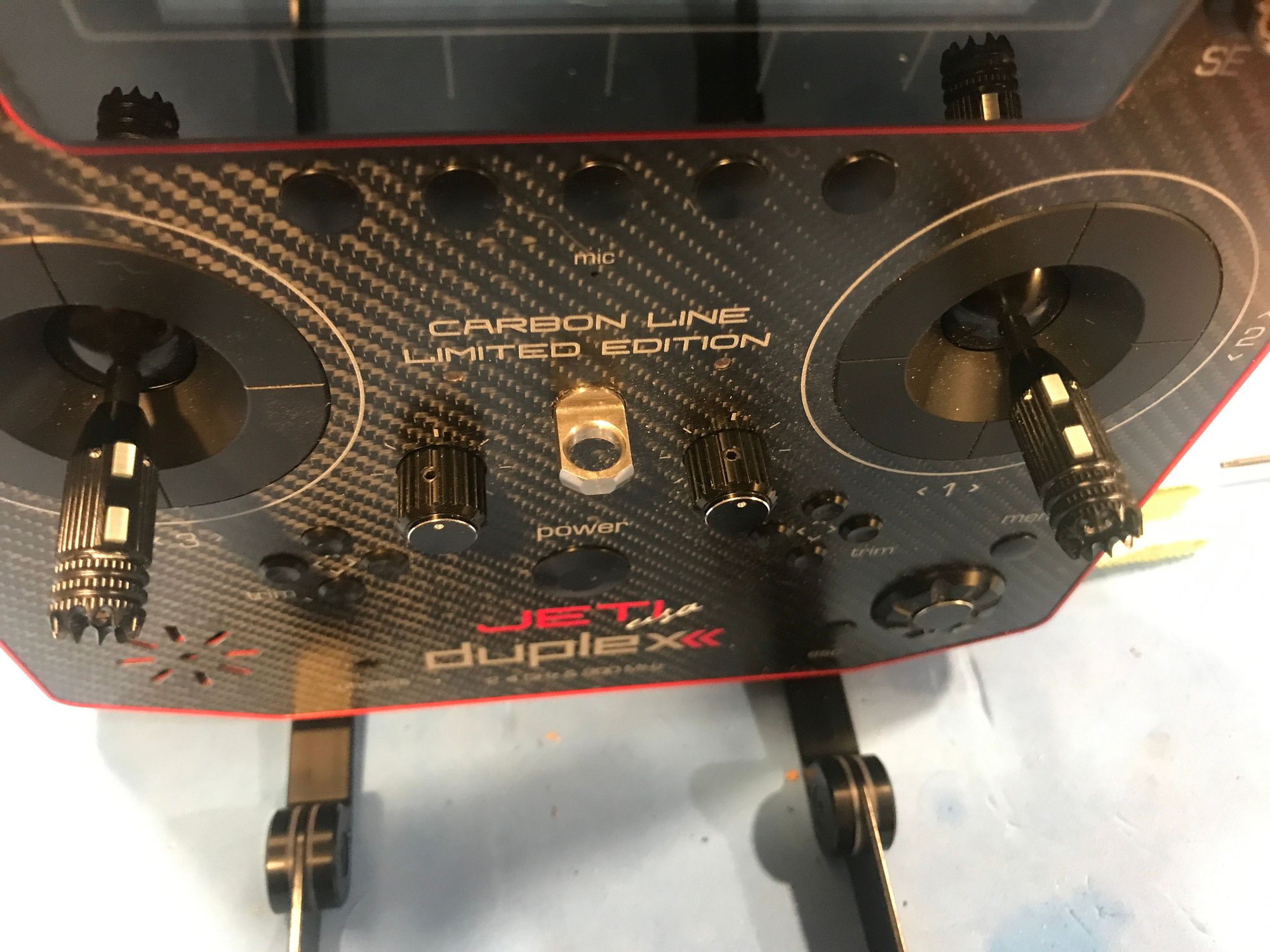
Ray I installed jeti stick switches a couple of years ago on my 24 and those made the stick height too tall for my taste. They probably work best for Europeans that like tall sticks. So I removed them and went back to normal sticks. A few months ago I came across a set called Wild Boar sticks that have two buttons. Wow these are amazing with them fitted you can adjust from 31 to 39mm. So I can not tell the difference in height to my old sticks. To set them up you go into the switch setup program. They are listed as sk and sl and you can click the drop down and select how you want them to operate. I set them up for a speed brake, top button speed brake up bottom button speed brake down. I will test tomorrow if you can set them up to work as a 3 position switch. Wild Boar Switch
 01-01-2022 | 03:13 AM
#2027

Hi Airman thanks for the reply the switches look good,
Did you solder the wires from your new switches to the solder pads that are available on the small pc board next to the control sticks? or did you use the expansion board that Jeti
make?
Thanks for your help Happy flying and happy new year,Ray.
Did you solder the wires from your new switches to the solder pads that are available on the small pc board next to the control sticks? or did you use the expansion board that Jeti
make?
Thanks for your help Happy flying and happy new year,Ray.
01-05-2022 | 10:36 PM
#2031
My Feedback: (9)
Have a question, Im converting a P51 gasser from a JR radio over to my Jeti. Question is it has a JR/DA optical kill switch on the motor. This unit also has a lead that gives rpm from the ignition module. Would anyone know if I can get this rpm data onto my jeti telemetry or will I have to use a jeti specific solution?
Thanks Tim
Thanks Tim
01-06-2022 | 01:50 AM
#2032
My Feedback: (1)
Have a question, Im converting a P51 gasser from a JR radio over to my Jeti. Question is it has a JR/DA optical kill switch on the motor. This unit also has a lead that gives rpm from the ignition module. Would anyone know if I can get this rpm data onto my jeti telemetry or will I have to use a jeti specific solution?
Thanks Tim
Thanks Tim
03-08-2022 | 10:52 AM
#2034
telemetry activating sequencer
will have a 3 channel sequencer set up on jeti transmitter for pneumatic gear retracts. Is it possible to set up with Mbar pressure sensor so that at a certain pressure noted by the Mbar the retracts will automatically be lowered? If so how is that done?
The following users liked this post:
David J Ruskin (03-09-2022)
03-13-2022 | 11:38 AM
#2037
Ds16 g2 sound
Hello I need some help, I have a brand new ds16g2 it was delivered to me yesterday…
the thing is that I can’t any sound from the speaker, NONE!
Wen I first turned it on I could hear the low voltage battery alarm beeps fine, but After i charged the battery and turned it on for the second time I got nothing… I haven’t touch a thing on the programing whatsoever… I also have a ds24 so i’m use jeti…
the strange thing is that if I connect headphones I can hear alarms and beeps FINE….
but as soon as I disconnect them the sounds and alamrs goes off…
Anyone else has experience this situation??
if so, what was the issue and solution or if anyone can throw me an idea of what must be happening I’ll really appreciate any imputs…
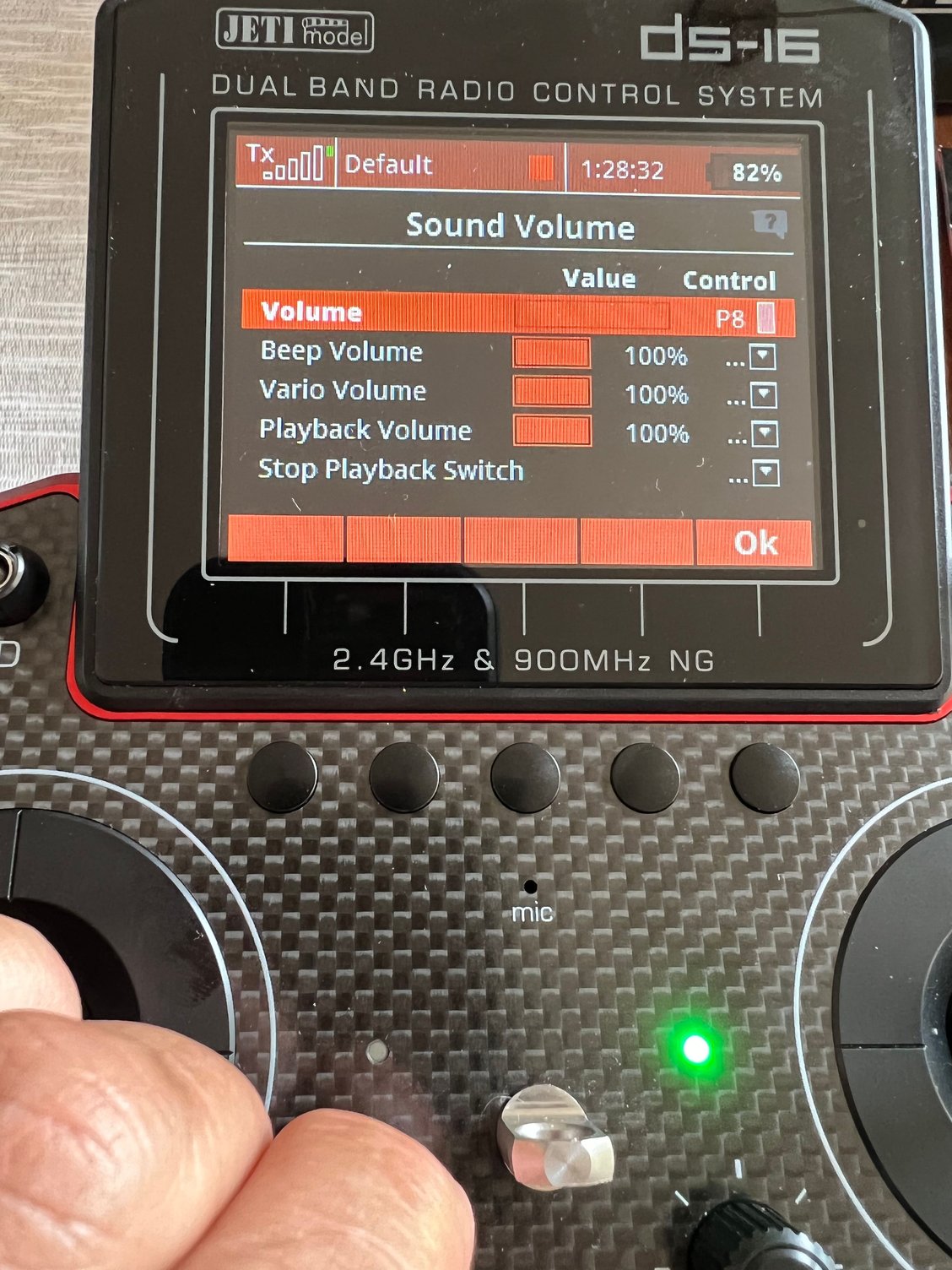
volumes are all 100%
Rgds!
the thing is that I can’t any sound from the speaker, NONE!
Wen I first turned it on I could hear the low voltage battery alarm beeps fine, but After i charged the battery and turned it on for the second time I got nothing… I haven’t touch a thing on the programing whatsoever… I also have a ds24 so i’m use jeti…
the strange thing is that if I connect headphones I can hear alarms and beeps FINE….
but as soon as I disconnect them the sounds and alamrs goes off…
Anyone else has experience this situation??
if so, what was the issue and solution or if anyone can throw me an idea of what must be happening I’ll really appreciate any imputs…
volumes are all 100%
Rgds!
03-13-2022 | 12:29 PM
#2039

 07-12-2022 | 11:27 AM
#2043
My Feedback: (22)
Joined: Nov 2001
Posts: 195
Likes: 0
Received 0 Likes
on
0 Posts
From: Phoenix,
AZ
In one of my jets I am using a CB220 with 3 receivers (RX1 is a Rex12, RX2 is a R3 2.4 and a 900Mhz used as a backup as RX3). During the first flights I heard a "Warning" alarm, but no further info as to what kind of alarm this actually was. This might be because I disabled morse codes, but not sure.
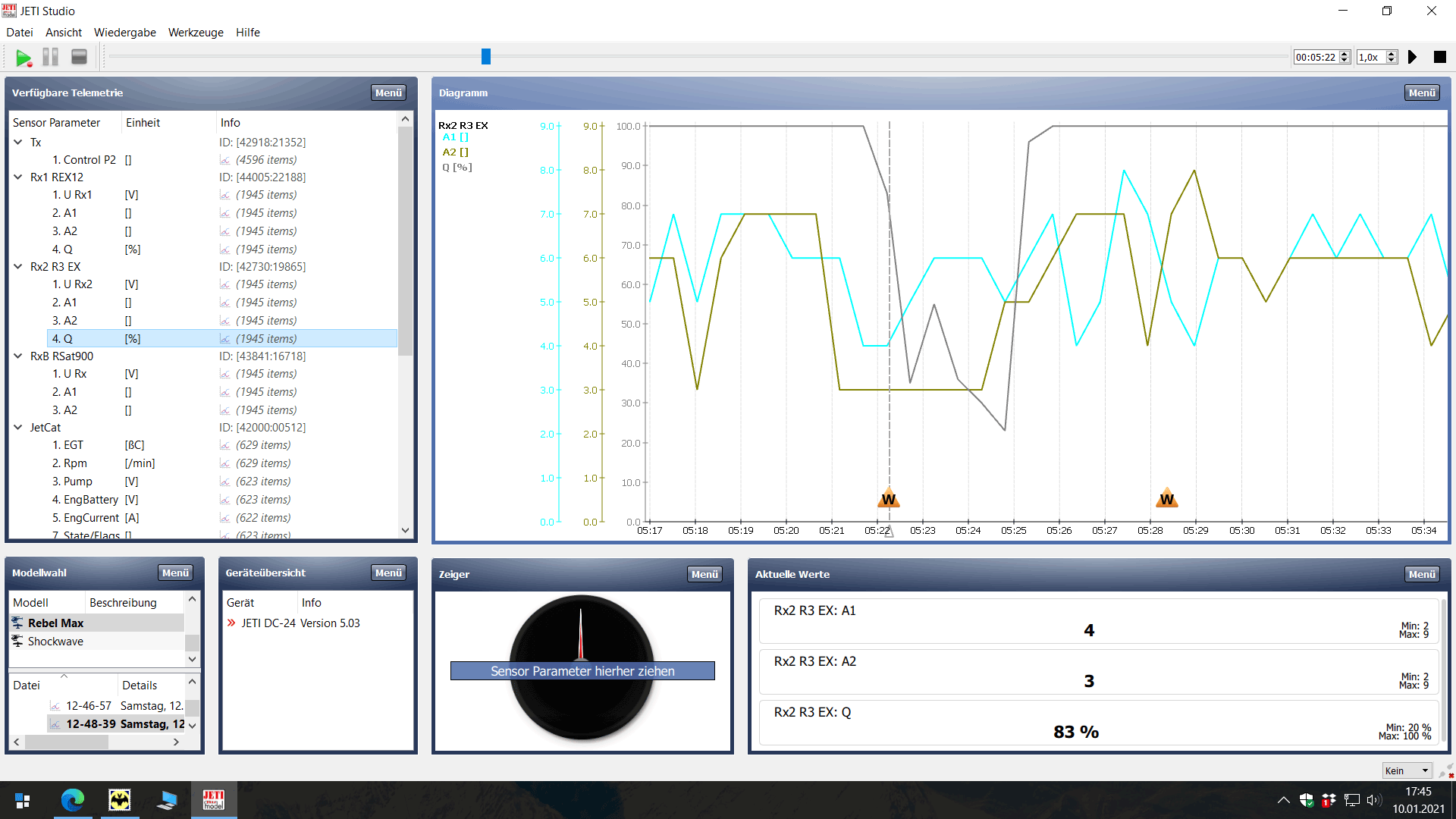
When checking the log files I found several entries "CBOX220: RX1 Timeout" (1 time) und "CBOX220: RX2 Timeout" (3 times) during that flight. Strange thing is that A1/A2/Q values seemed normal. BTW the "switchover strategy" in the config menu of the CB220 has not been changed, is still has the default setting of 150ms.
Any ideas as to what might be going on?
When checking the log files I found several entries "CBOX220: RX1 Timeout" (1 time) und "CBOX220: RX2 Timeout" (3 times) during that flight. Strange thing is that A1/A2/Q values seemed normal. BTW the "switchover strategy" in the config menu of the CB220 has not been changed, is still has the default setting of 150ms.
Any ideas as to what might be going on?
Did you ever get an answer on this question?
Just asking because I experienced the same warning 2 days ago...
07-12-2022 | 12:24 PM
#2044

My Feedback: (2)
I'll occasionally get a high pitched beep when flying with my DS-24. I'd also get it on my older DS-16.
No alerts, warnings or Morse code are assigned the high-pitched tone, and nothing gets logged at the time these beeps occur.
I've never tracked down what is causing it, and of course I'm never looking at the display when it goes beep.
Paul
No alerts, warnings or Morse code are assigned the high-pitched tone, and nothing gets logged at the time these beeps occur.
I've never tracked down what is causing it, and of course I'm never looking at the display when it goes beep.
Paul
08-14-2022 | 04:57 PM
#2045
My Feedback: (10)
Sorry if this has been asked before. I'm using an EX R3/RSW as a secondary (backup) receiver for my DS-24 in double path. Which port on the R3/RSW receiver do I plug into? My primary receiver is an REX10A with E1 set to EXBUS/Backup and failsafe enabled. The R3/RSW serial link is set to EXBUS and failsafe is disabled. When I plug an extension from the E1 port on the REX10A primary receiver to port 1, 2 or 3 on the R3/RSW it doesn't work when I disable the primary receiver. When I connect E1 on the primary receiver to port 4 (EXT) on the R3/RSW it works. I thought I needed to use a control port on the R3/RSW. If so, then maybe I'm not binding the primary and secondary receivers properly or in the right order. Any suggestions for connection and settings will be greatly appreciated.
Last edited by Harvey Mushman; 08-14-2022 at 05:00 PM.
08-14-2022 | 05:23 PM
#2047
My Feedback: (10)
Thank you Mark. The reason I asked is I saw another installation using port 2 on the R3/RSW secondary receiver from E1 on the primary. The only difference was the primary receiver was an REX10, not an REX10A. In that installation the R3/RSW backup worked when the the REX10 was disabled.
08-14-2022 | 06:03 PM
#2049
Thank you Mark. The reason I asked is I saw another installation using port 2 on the R3/RSW secondary receiver from E1 on the primary. The only difference was the primary receiver was an REX10, not an REX10A. In that installation the R3/RSW backup worked when the the REX10 was disabled.
Also see here:
Last edited by causeitflies; 08-14-2022 at 07:00 PM. Reason: clarification
08-14-2022 | 06:34 PM
#2050
I did my setup quite a few years ago. So the reason yours worked with the lead plugged into the EXT port could be this which is probably the newer better option.
Last edited by causeitflies; 08-14-2022 at 06:59 PM.

