


Jeti DS-24
 06-23-2021 | 08:04 AM
#1976


My Feedback: (2)

John,
Thanks - I installed a pair from jettstreamuk also just recently. I didn't have to remove the stick assembly to install though. I've assigned the switches but not used them yet. Very nice quality units.
As a thumb flier I might just use them for ancillaries, such as stepping through various lighting combinations. Not sure I could use them for major functions such as flight modes.
Paul
Thanks - I installed a pair from jettstreamuk also just recently. I didn't have to remove the stick assembly to install though. I've assigned the switches but not used them yet. Very nice quality units.
As a thumb flier I might just use them for ancillaries, such as stepping through various lighting combinations. Not sure I could use them for major functions such as flight modes.
Paul
 06-23-2021 | 11:18 AM
#1977


My Feedback: (53)
John,
Thanks - I installed a pair from jettstreamuk also just recently. I didn't have to remove the stick assembly to install though. I've assigned the switches but not used them yet. Very nice quality units.
As a thumb flier I might just use them for ancillaries, such as stepping through various lighting combinations. Not sure I could use them for major functions such as flight modes.
Paul
Thanks - I installed a pair from jettstreamuk also just recently. I didn't have to remove the stick assembly to install though. I've assigned the switches but not used them yet. Very nice quality units.
As a thumb flier I might just use them for ancillaries, such as stepping through various lighting combinations. Not sure I could use them for major functions such as flight modes.
Paul
The following users liked this post:
Halcyon66 (06-23-2021)
06-24-2021 | 08:05 AM
#1978
Finally we got: Possibility to deactivate the "inactivity alarm" in the transmitter
Zb/Jeti USA
JETI DC/DS Update Version 5.06 (June 2021)
New Features:
1. Support for R4 RES (device explorer)
2. Support for DC/DS-14 II transmitters
3. Added information about the active throttle channel in the "other model options" menu
4. DC/DS-16 II - increased number of telemetry controls to 16
5. Negative values for "trim-max" are enabled in the function assignment menu
6. Automatic reloading of the telemetry sensor if the user has changed any description of its
parameters (MULi6S Module)
7. Added Czech and German language for “MULi6S Module” sensor
8. Possibility to deactivate the "inactivity alarm" in the transmitter
9. Setting the minimum volume in the transmitter completely mute the sounds (also added
“mute” icon)
Modifications:
1. LUA „io.open“ opens files in binary mode (emulator only)
2. Correct display of pins set as "digital input" (alternative pin configuration)
3. Changed the icon of the third (undefined) state in the “sticks/switches setup” menu
4. Changed the value for turning on/off the throttle switch in the “sticks/switches setup” menu
5. Modification of possible inverse logic of some switches for copied models between
transmitters
6. Modification of the display of the ‘F1’ button icon in the “wireless modes/trainer” menu
7. Modification of the function of the trim buttons during flight mode switching
8. Change of adjustable delay during flight mode switching
9. Modification of the possibility of using standard trim buttons for a new digital trim
10. Delete old system files from SD card (not user files)
Zb/Jeti USA
JETI DC/DS Update Version 5.06 (June 2021)
New Features:
1. Support for R4 RES (device explorer)
2. Support for DC/DS-14 II transmitters
3. Added information about the active throttle channel in the "other model options" menu
4. DC/DS-16 II - increased number of telemetry controls to 16
5. Negative values for "trim-max" are enabled in the function assignment menu
6. Automatic reloading of the telemetry sensor if the user has changed any description of its
parameters (MULi6S Module)
7. Added Czech and German language for “MULi6S Module” sensor
8. Possibility to deactivate the "inactivity alarm" in the transmitter
9. Setting the minimum volume in the transmitter completely mute the sounds (also added
“mute” icon)
Modifications:
1. LUA „io.open“ opens files in binary mode (emulator only)
2. Correct display of pins set as "digital input" (alternative pin configuration)
3. Changed the icon of the third (undefined) state in the “sticks/switches setup” menu
4. Changed the value for turning on/off the throttle switch in the “sticks/switches setup” menu
5. Modification of possible inverse logic of some switches for copied models between
transmitters
6. Modification of the display of the ‘F1’ button icon in the “wireless modes/trainer” menu
7. Modification of the function of the trim buttons during flight mode switching
8. Change of adjustable delay during flight mode switching
9. Modification of the possibility of using standard trim buttons for a new digital trim
10. Delete old system files from SD card (not user files)
07-26-2021 | 01:45 AM
#1980
My Feedback: (1)
question?
I am using DC 24 with a CB 400 in a warbird that requires 17 functions
i can get the 16 to work except anything i plug into 17 thru 24 will not work.
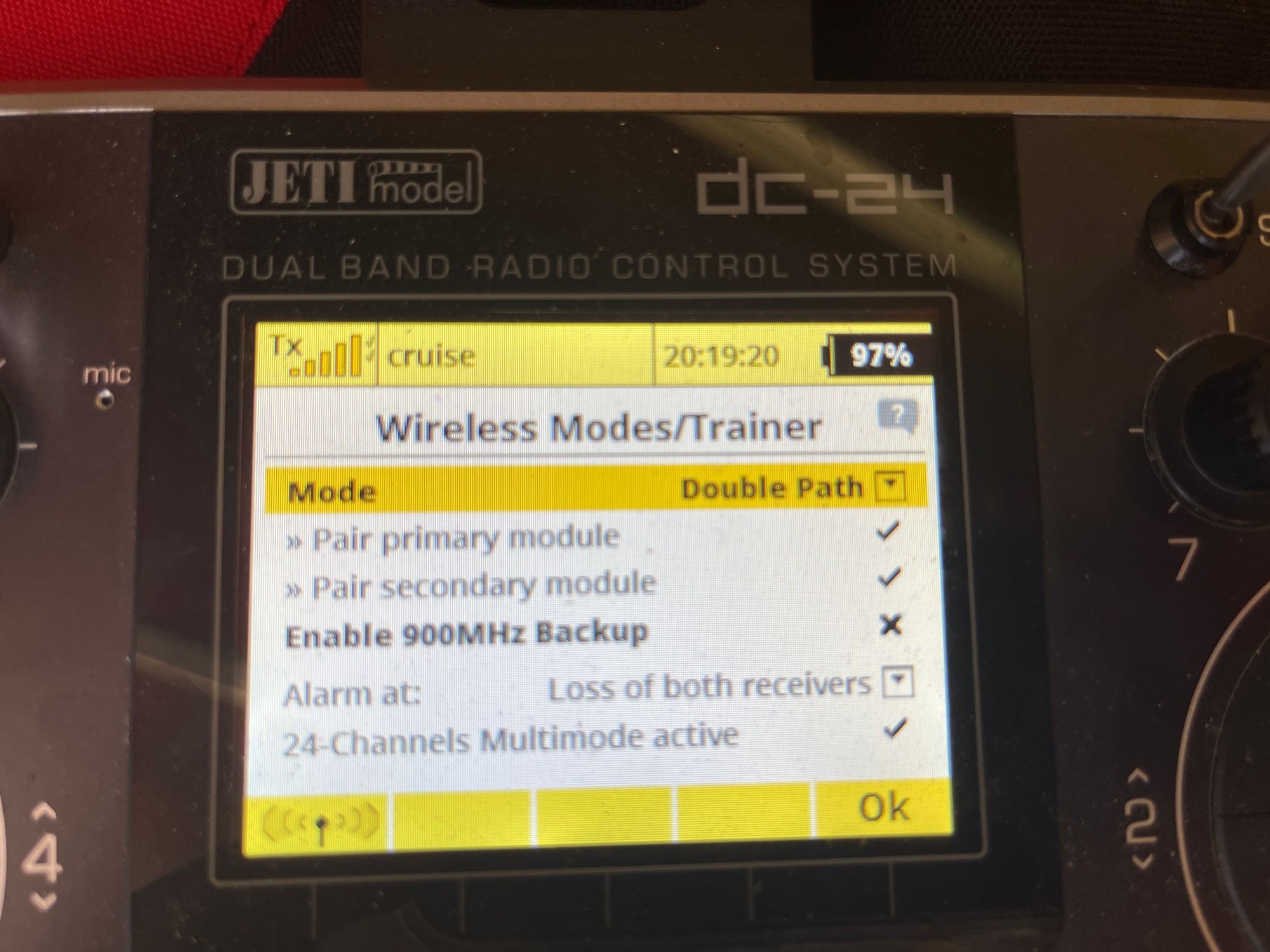
In mY TX, when I go to the wireless mode / trainer, it is already set to 24 channels.
However, I cannot get anything out of channels 17 - 24 on the CB 400
Any advice?
thank you
Cam
I am using DC 24 with a CB 400 in a warbird that requires 17 functions
i can get the 16 to work except anything i plug into 17 thru 24 will not work.
In mY TX, when I go to the wireless mode / trainer, it is already set to 24 channels.
However, I cannot get anything out of channels 17 - 24 on the CB 400
Any advice?
thank you
Cam

The following users liked this post:
orthobird (07-26-2021)
The following users liked this post:
Kenrico (10-17-2021)
 07-26-2021 | 04:26 AM
#1984
My Feedback: (53)
One exception is, if I build a new plane during the summer no matter when I got the RX/CB ect…..I will put all of that stuff through an update…
‘’New receiver could be older then you think, unless it’s a new product on the market.
07-26-2021 | 05:18 AM
#1985

My Feedback: (46)
question?
I am using DC 24 with a CB 400 in a warbird that requires 17 functions
i can get the 16 to work except anything i plug into 17 thru 24 will not work.
In mY TX, when I go to the wireless mode / trainer, it is already set to 24 channels.
However, I cannot get anything out of channels 17 - 24 on the CB 400
Any advice?
thank you
Cam
I am using DC 24 with a CB 400 in a warbird that requires 17 functions
i can get the 16 to work except anything i plug into 17 thru 24 will not work.
In mY TX, when I go to the wireless mode / trainer, it is already set to 24 channels.
However, I cannot get anything out of channels 17 - 24 on the CB 400
Any advice?
thank you
Cam
DC/DS-16: 24-Channels Multimode
The DC-16 and DS-16 now support up to 24 fully proportional and programmable channels. This expansion allows you to conveniently install multiple receivers or Central Boxes into a model without additional programming. By default, this feature is turned off. The transmitter enables it automatically as soon as any servo is assigned to any 17-24 channel (see the menu Model → Servo Assignment). You can see the “24-Channel Multimode” status in Advanced Properties → Wireless Modes/Trainer.
Maybe take a look there?
07-26-2021 | 07:04 AM
#1986
My Feedback: (53)
I seem to remember you have to turn on the channels in the TX somewhere and found this in another thread.
DC/DS-16: 24-Channels Multimode
The DC-16 and DS-16 now support up to 24 fully proportional and programmable channels. This expansion allows you to conveniently install multiple receivers or Central Boxes into a model without additional programming. By default, this feature is turned off. The transmitter enables it automatically as soon as any servo is assigned to any 17-24 channel (see the menu Model → Servo Assignment). You can see the “24-Channel Multimode” status in Advanced Properties → Wireless Modes/Trainer.
Maybe take a look there?
DC/DS-16: 24-Channels Multimode
The DC-16 and DS-16 now support up to 24 fully proportional and programmable channels. This expansion allows you to conveniently install multiple receivers or Central Boxes into a model without additional programming. By default, this feature is turned off. The transmitter enables it automatically as soon as any servo is assigned to any 17-24 channel (see the menu Model → Servo Assignment). You can see the “24-Channel Multimode” status in Advanced Properties → Wireless Modes/Trainer.
Maybe take a look there?
in this the Cortex Pro won’t see channel 17-24 it’s that simple

 07-26-2021 | 12:59 PM
#1992
My Feedback: (1)
yes,
but, I just got a call from Danny.
very nice guy.
No one has ever done that before!
What a guy.
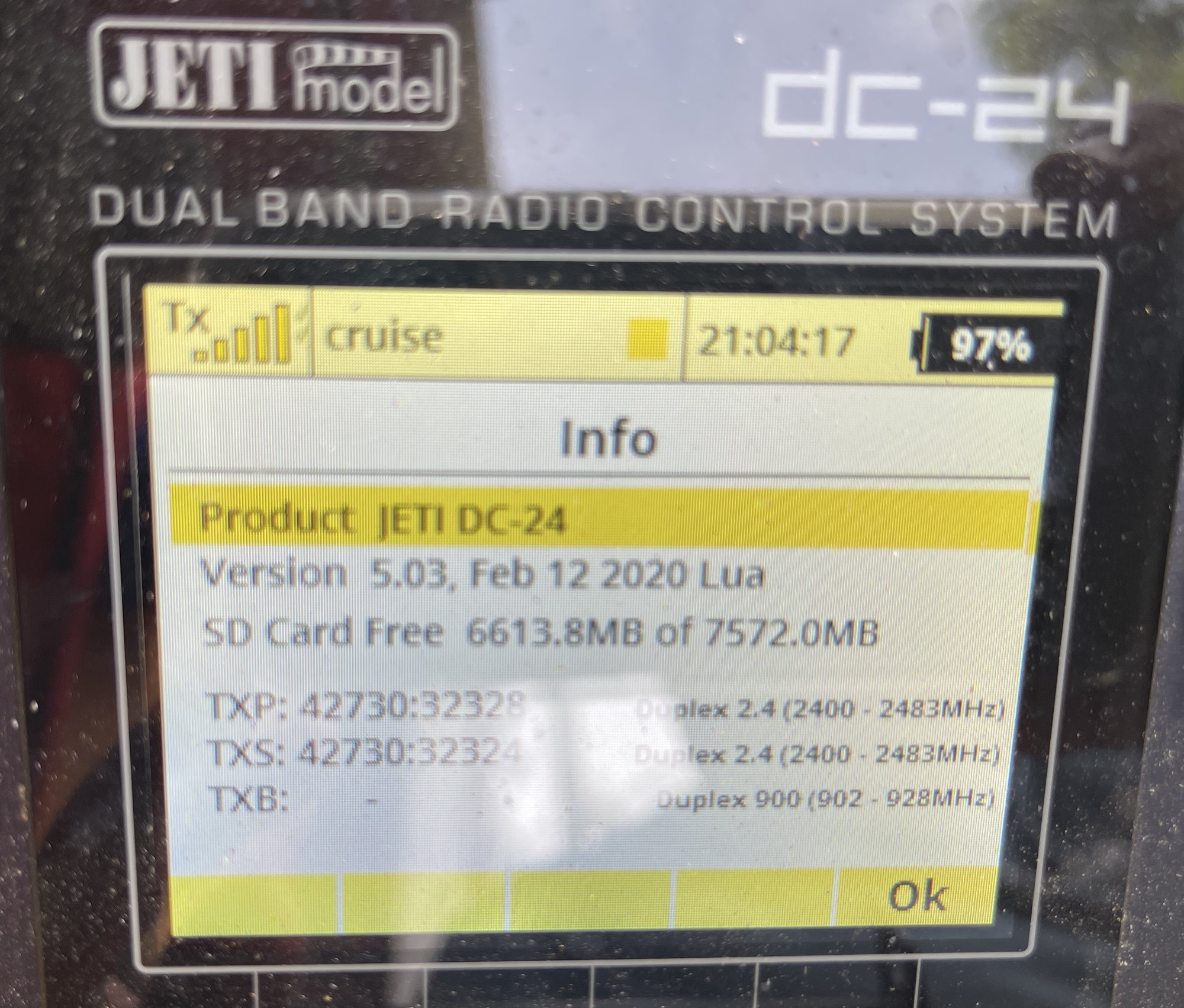
He was able to guide me thru my Tx and we pulled up which version of the Rx is in there.
So, I will do update soon and report back.
If it works, then we will know that was the problem.
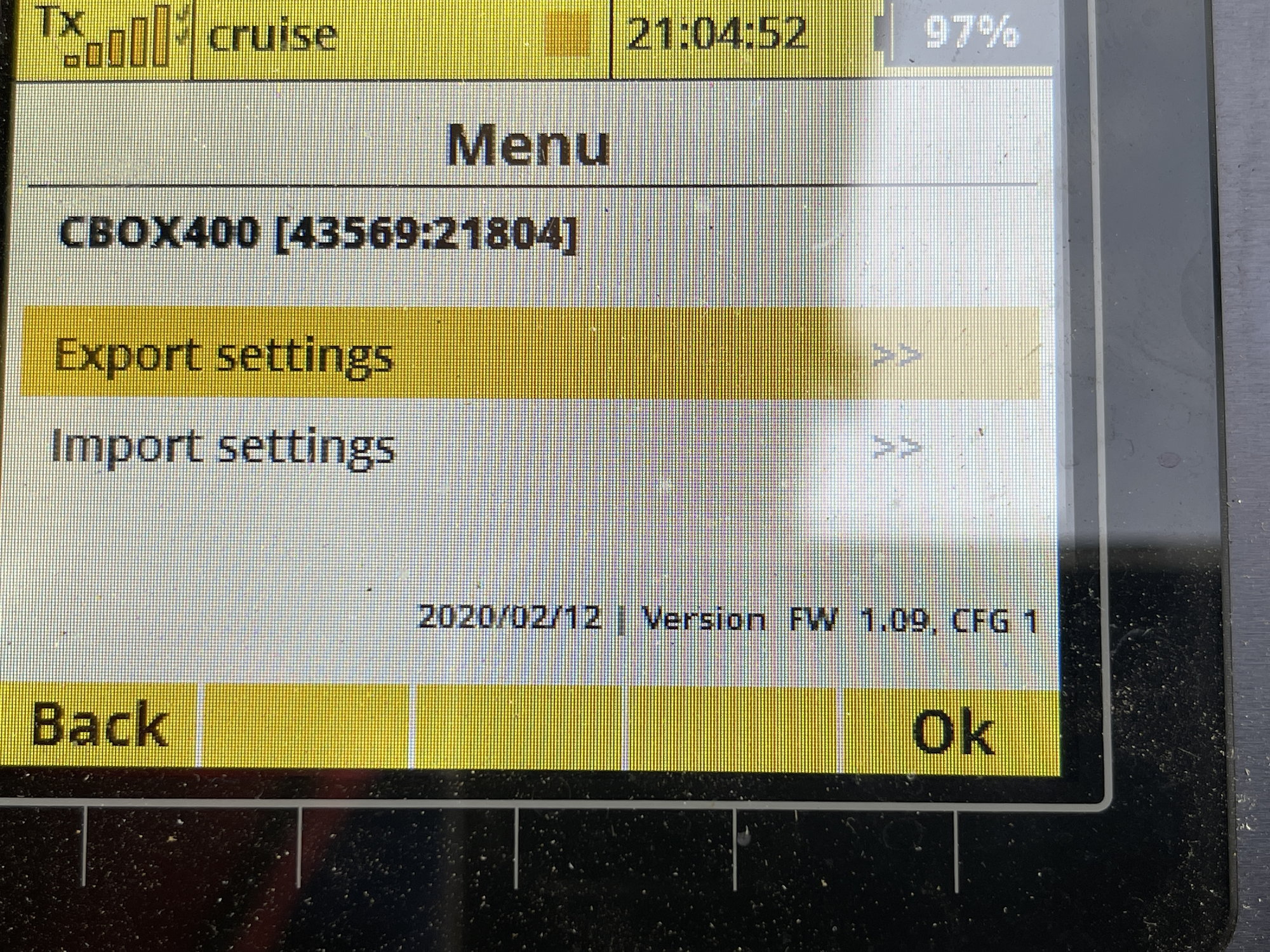
But, I also took these screen shots.
Tell me what you think....
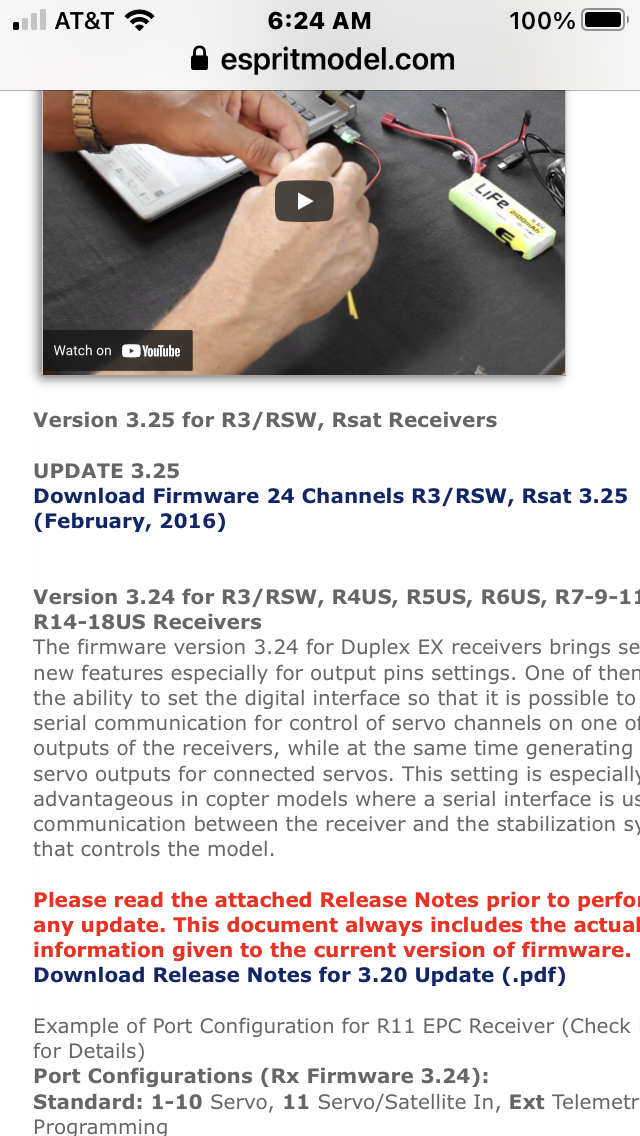
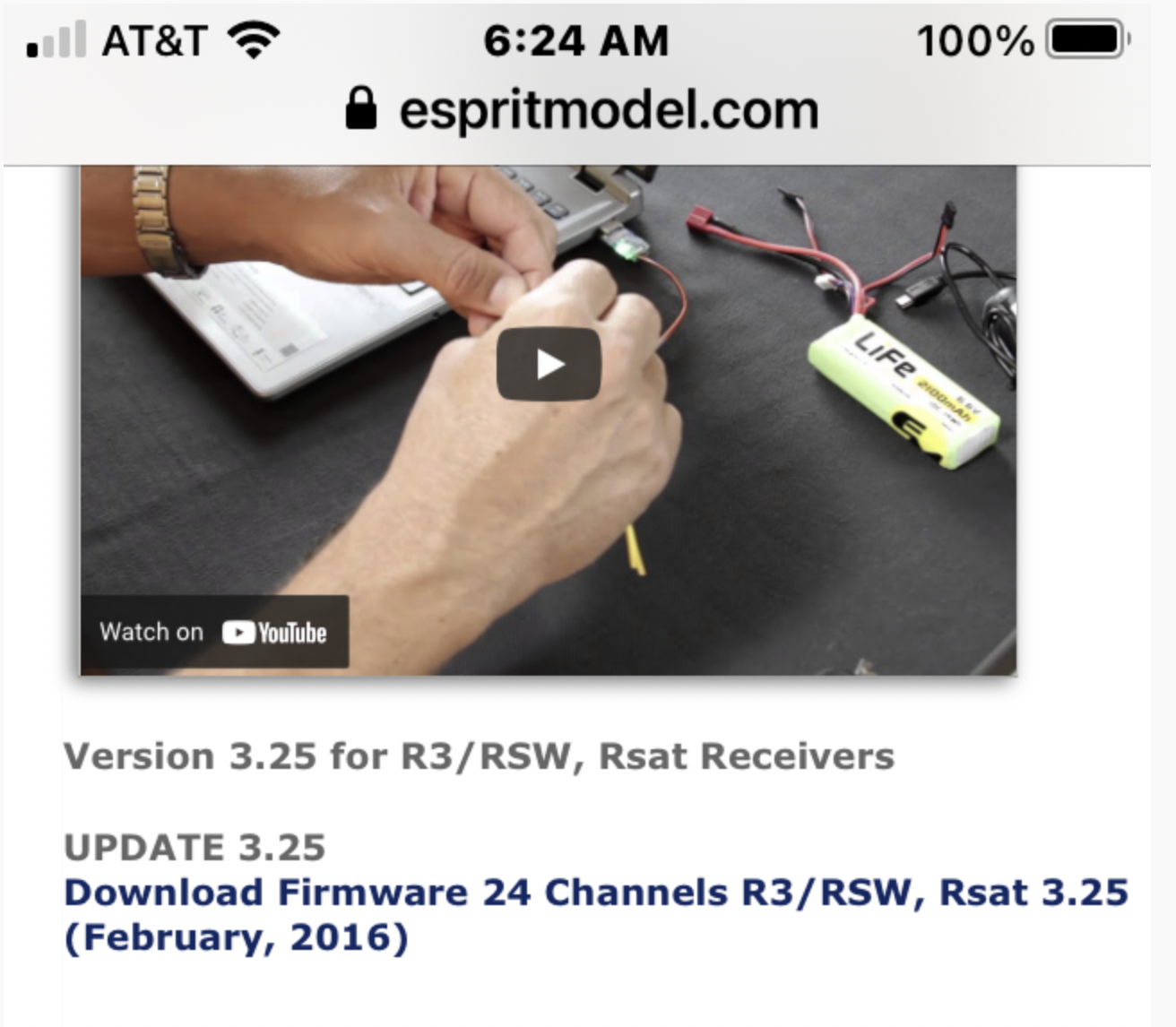
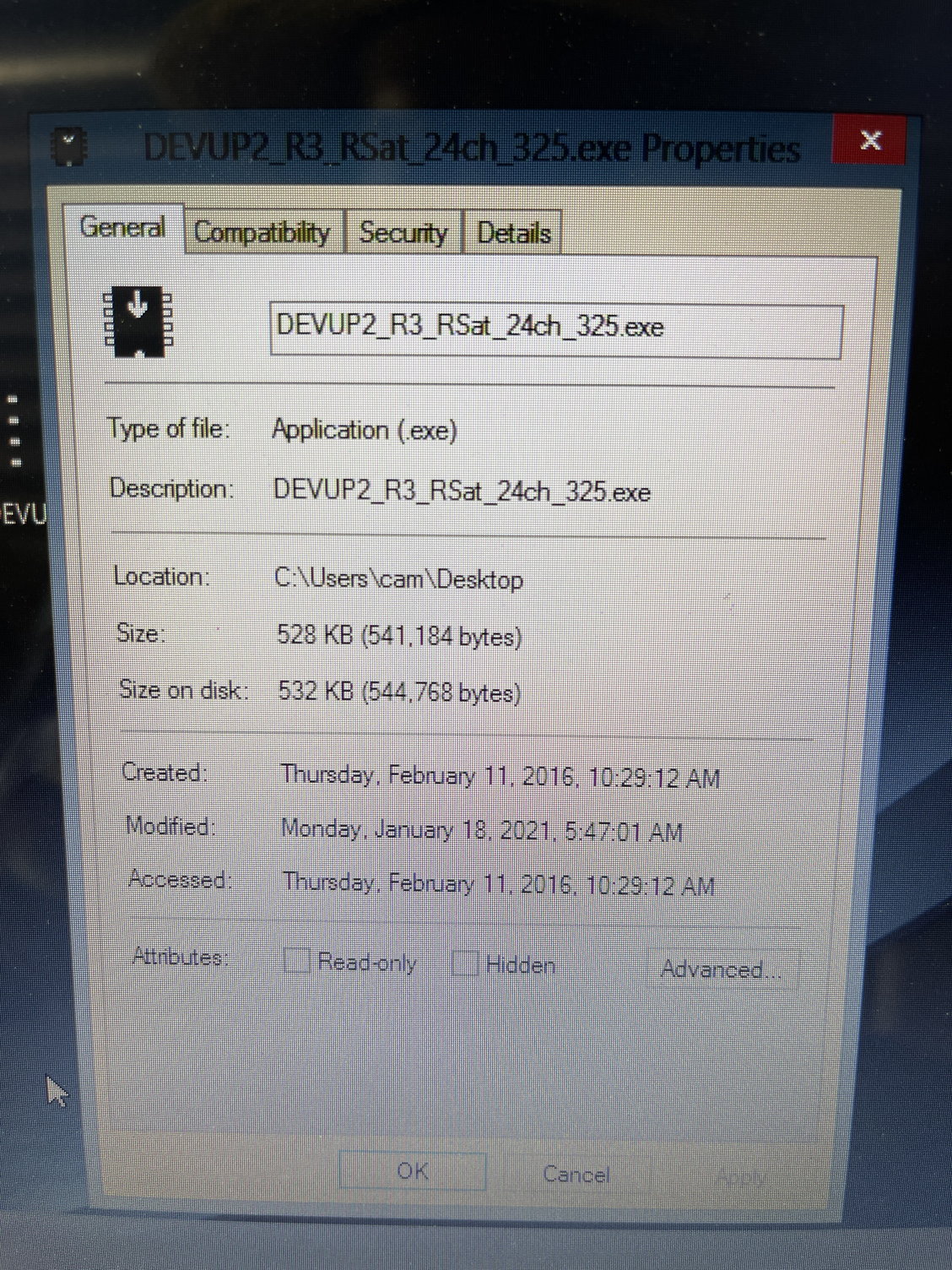
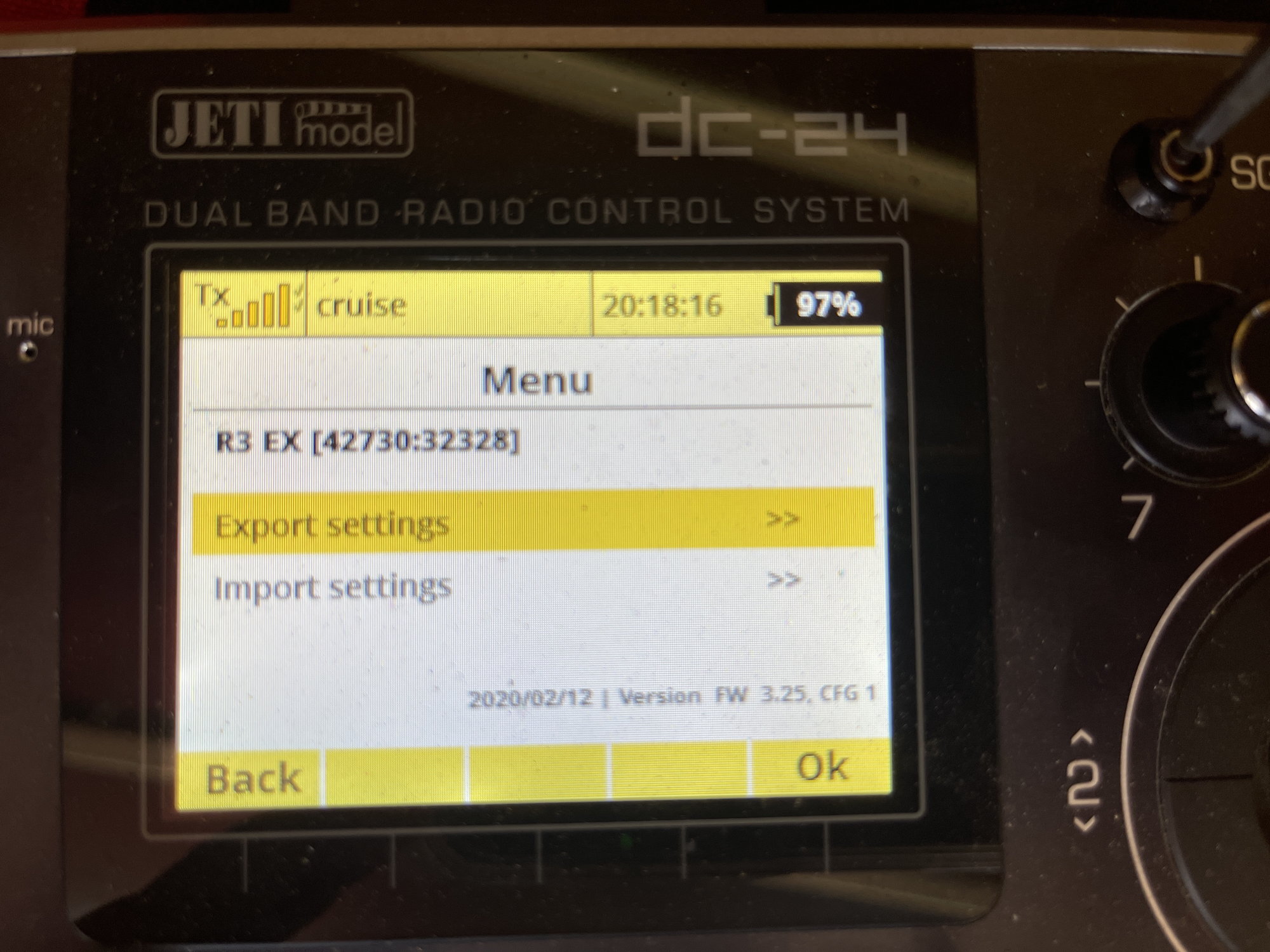
this is the update that was on my laptop from last fall
I did not download this today.
ok, when i am in Device explorer. I hovered over Rx1 and clicked it.
then I hit the tool symbol, and this screen popped up:
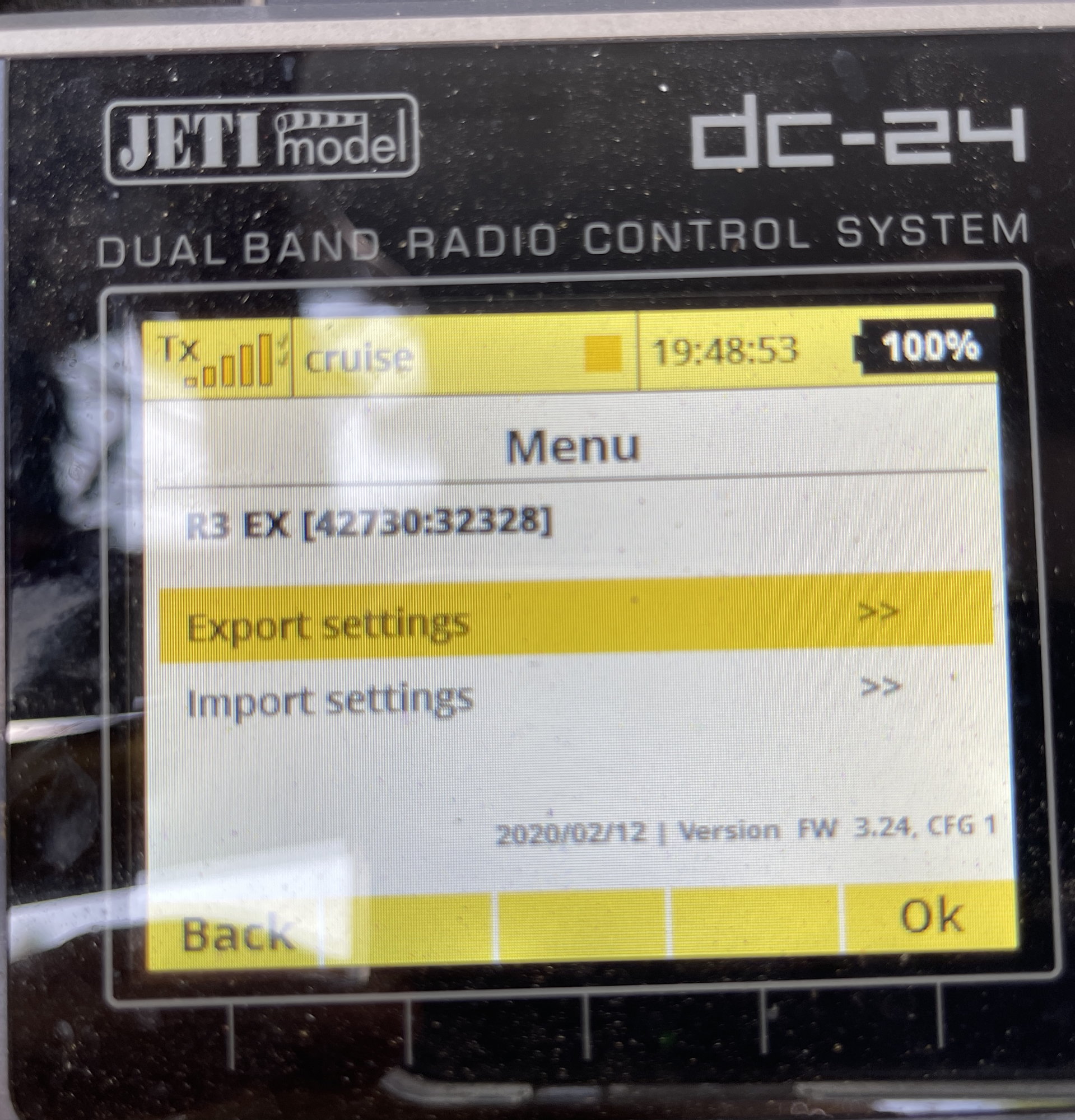
this was programmed in by me, either on 2/12/2020 or, i believe more than likely, it was december 12, 2020.
so then, I went to device explorer again, and hovered over RX1 and looked at receiver output, and this is all it shows,
i scrolled and took pictures.
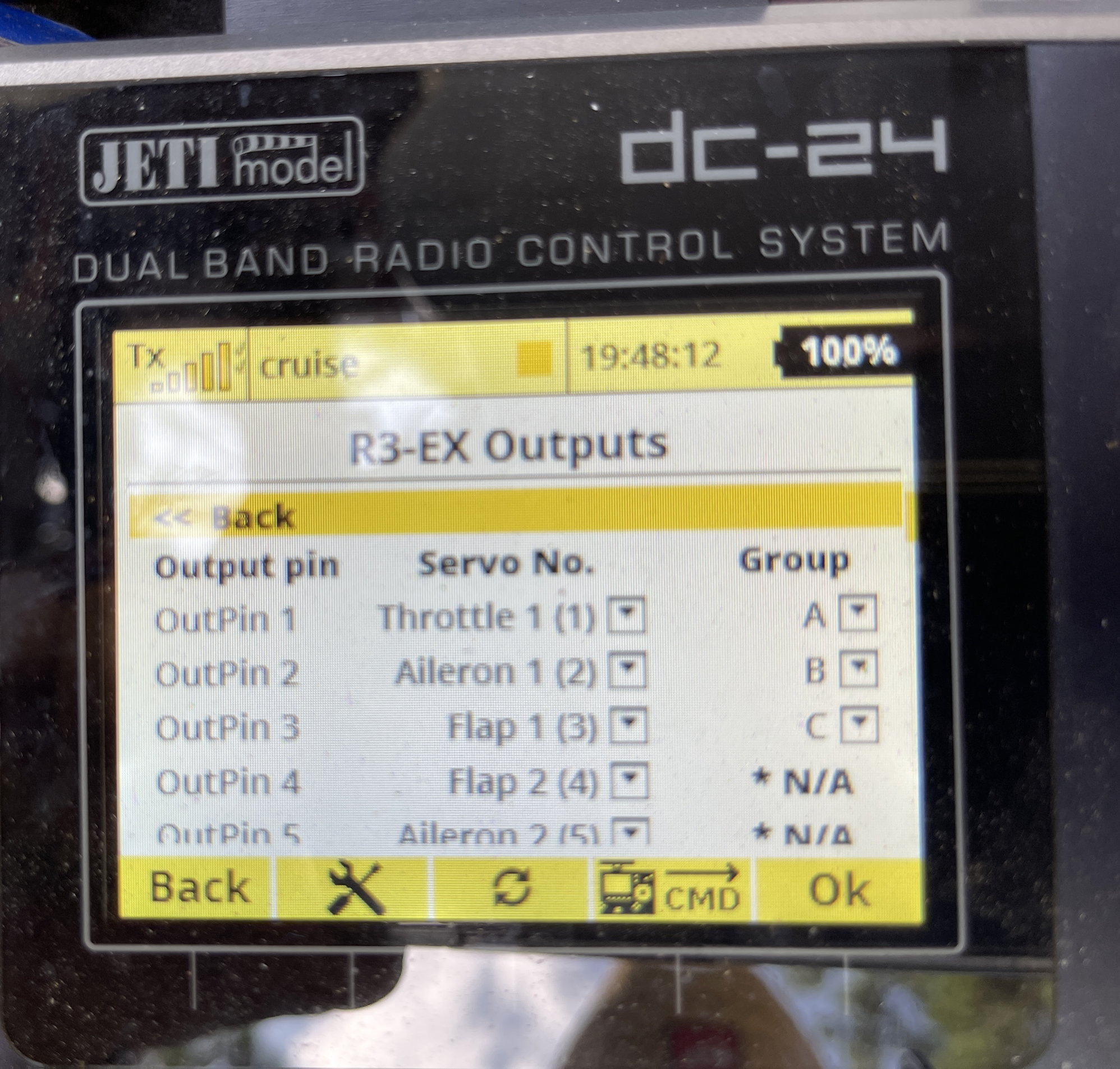
this shows output pins 1 thru 5
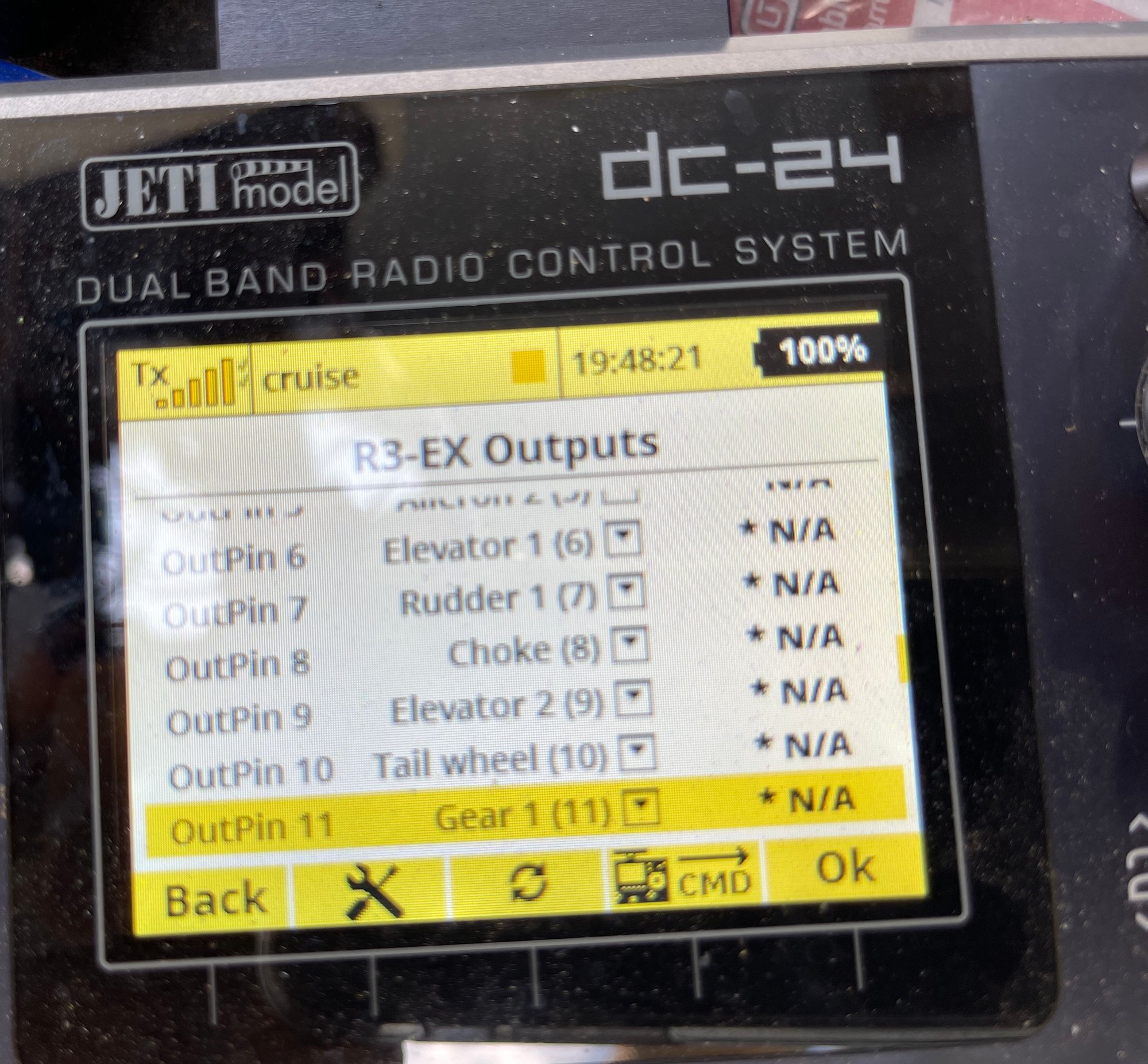
this shows pins 6 thru 11
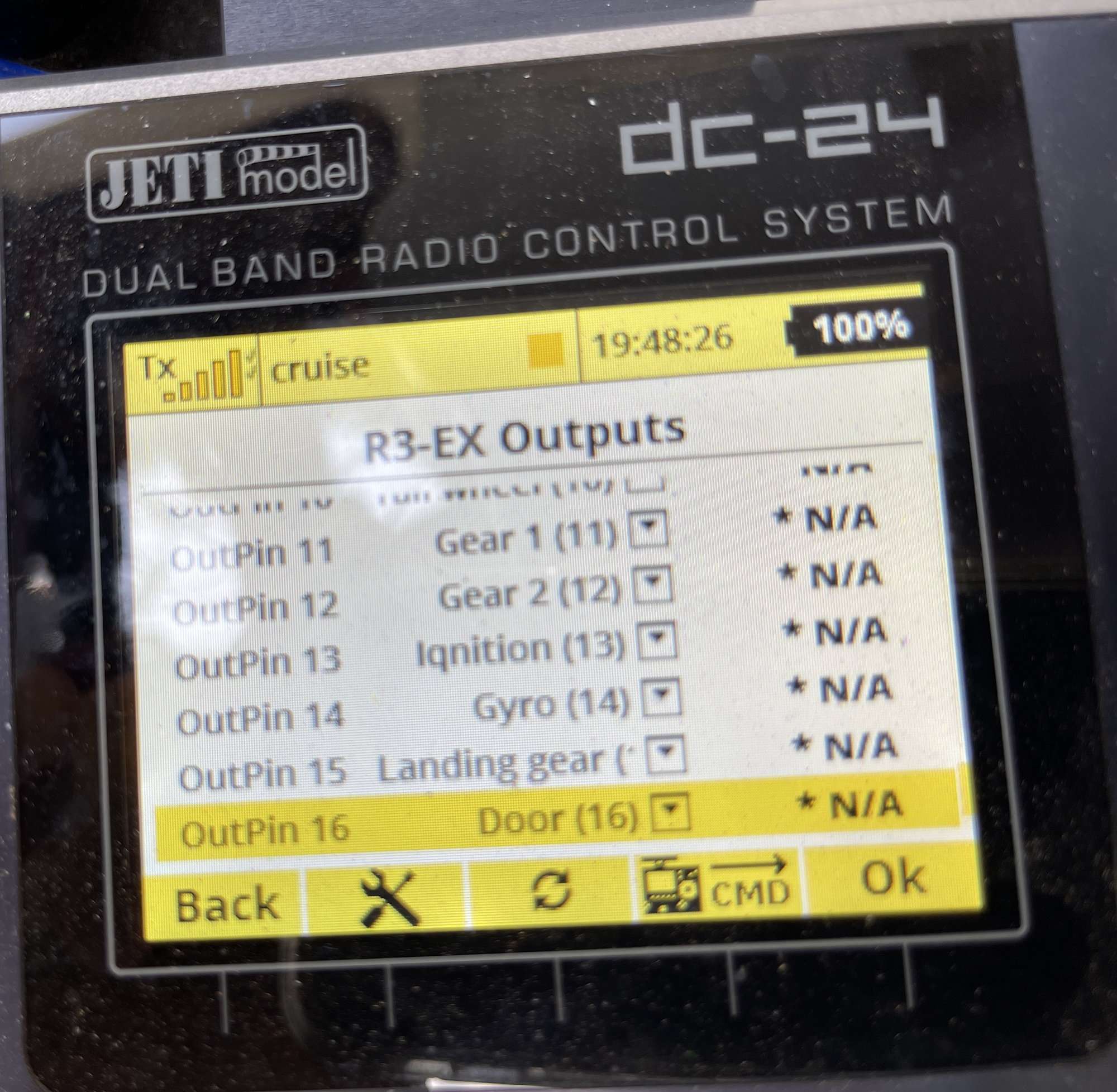
this is the end of it, does not go beyond pin 16.
 07-31-2021 | 08:21 AM
#1998
Sorry Gary, You can't change the color.
We can only let Jeti know that it would be nice to have an option for different colors/layouts.
We can only let Jeti know that it would be nice to have an option for different colors/layouts.
Last edited by Remco45; 07-31-2021 at 08:33 AM.
08-19-2021 | 08:22 AM
#1999
Elite GPS Telemetry Sensor with Compass (Magnetometer) & Data Logger
https://www.espritmodel.com/elite-te...ba-s-bus2.aspx
The GPS w/Compass & Data Logger is a telemetry device that offers fast and accurate real-time position detection and feedback. It uses multiple satellite navigation systems to achieve maximum precision and resolution. Logging of all the data is possible due to its large integrated Flash memory. The logged data can be downloaded and analyzed on a computer using the free MAV Manager software.
Specifications and Features
- Large industrial memory for data logging (256MB).
- Latest generation GPS chipset supporting multiple satellite systems.
- 3-axis magnetometer/compass for external navigation purpose.
- Backup supercapacitor for fast position fix after powering off.
- Automatic telemetry detection: Duplex EX, Hott, MSB, S.Bus2.
- Automatic time zone detection.
Compatibility: Jeti EX, Multiplex M-LINK, Graupner HoTT, Futaba S.Bus/S.Bus2
Positioning Systems: GPS, GALILEO, GLONASS
Data Recording Time: Up to 66 Hours (5 samples/s)
Operational Voltage: 3.5V to 8.4V
Dimensions/Weight: 28mm x 30mm x 9mm/14g
Parameters: Latitude/Longitude, Distance, 2/3D Speed, Azimuth, Heading/Course, Altitude
Programmable: Using JetiBox, JetiBox Mini and JetiBox Profi


https://www.espritmodel.com/elite-te...ba-s-bus2.aspx
The GPS w/Compass & Data Logger is a telemetry device that offers fast and accurate real-time position detection and feedback. It uses multiple satellite navigation systems to achieve maximum precision and resolution. Logging of all the data is possible due to its large integrated Flash memory. The logged data can be downloaded and analyzed on a computer using the free MAV Manager software.
Specifications and Features
- Large industrial memory for data logging (256MB).
- Latest generation GPS chipset supporting multiple satellite systems.
- 3-axis magnetometer/compass for external navigation purpose.
- Backup supercapacitor for fast position fix after powering off.
- Automatic telemetry detection: Duplex EX, Hott, MSB, S.Bus2.
- Automatic time zone detection.
Compatibility: Jeti EX, Multiplex M-LINK, Graupner HoTT, Futaba S.Bus/S.Bus2
Positioning Systems: GPS, GALILEO, GLONASS
Data Recording Time: Up to 66 Hours (5 samples/s)
Operational Voltage: 3.5V to 8.4V
Dimensions/Weight: 28mm x 30mm x 9mm/14g
Parameters: Latitude/Longitude, Distance, 2/3D Speed, Azimuth, Heading/Course, Altitude
Programmable: Using JetiBox, JetiBox Mini and JetiBox Profi

